Courier and delivery software · US and Canada
From the rate card to the paid invoice, in one system.
NemiRoute prices each order from your rate card as it is entered, runs the day on a live map, will not let a driver close a stop without the proof you require, and turns delivered orders into invoices your customers pay by card.
One order, start to finish
Follow a Same Day order through the system.
Most courier companies stitch this together from a dispatch tool, a spreadsheet and an invoicing app. Here it is one record, from the first price to the driver’s pay statement.
Same Day
14.2 km · 2 parcels · 18 kg
| Base price | 32.00 |
|---|---|
| Weight chargesgroup: highest of 2 rules | 12.00 |
| Distance chargesgroup: highest of 2 rules | 5.00 |
| Fuel surcharge8 % of base | 2.56 |
| Rush fee | 10.00 |
| Total (USD, before tax) | 61.56 |
- 09:12
Priced
Entered in the customer portal. The Same Day price set quotes it while the form is filled in; the price is locked when the order is placed.
Pricing engine → - 09:14
Assigned
The dispatcher picks a driver and a vehicle from the order list. The driver gets a push notification; the recipient gets a tracking link by email or text.
Dispatch → - 10:48
Running late
The live map shows the vehicle 12 minutes behind on its next stop, before anyone calls.
Live map → - 11:05
Delivered
The driver captures the proof your rules ask for (here a signature and a photo within 200 m of the address). Without it, the server does not accept the stop.
Driver app → - Billing day
Invoiced
The customer’s delivered orders go onto one invoice on their billing cycle, emailed with a PDF.
Billing → - On payment
Paid
The customer pays by card on a Stripe page. The money goes to your Stripe account and the invoice is marked paid.
Card payments → - Pay period
On the driver’s statement
The delivery counts on the driver’s pay statement under their pay plan, ready to approve and export.
Driver pay →
What it replaces
Route planners plan routes. A courier business also has to price, bill and pay.
Route-planning apps are good at the map. The money side (rate cards, invoices, cash on delivery, driver pay) usually lives somewhere else. NemiRoute keeps it on the same order.
| The job | Spreadsheet, phone and email | Route-planning apps | NemiRoute |
|---|---|---|---|
| Quote a price | Worked out per call, from memory or a PDF | Rarely built in; some sell rate tables as an add-on | Price sets, zones and modifiers price each order as it is entered |
| Dispatch and delays | Whiteboard and phone calls | Their core: routes, ETAs and a live map | Order list, route planner, live map with each vehicle’s delay |
| Proof of delivery | Paper slips | Photo and signature capture, sometimes in higher tiers | Proof rules per customer, service or address, enforced by the server |
| Customer ordering and tracking | Email and phone | Tracking links; an ordering portal is often extra | A customer portal with live prices; a tracking page per order |
| Invoices and card payments | A spreadsheet at month end | Usually a separate tool | Invoices from delivered orders; card payments to your Stripe account |
| COD cash and driver pay | Envelopes and a spreadsheet | Usually not covered | COD cash per driver; per-delivery pay statements |
The middle column is a general description of route-planning and delivery apps, from their public product and pricing pages as of October 2026. Several sell a customer portal, rate tables or invoicing as an add-on or in a higher tier; check the vendor you are comparing.
The product
Four apps on the same orders.
The dispatch dashboard for your office, a portal for your business customers, a driver app, and a public tracking page for recipients. What the dispatcher changes, the driver, the customer and the recipient see.
Dispatch dashboard
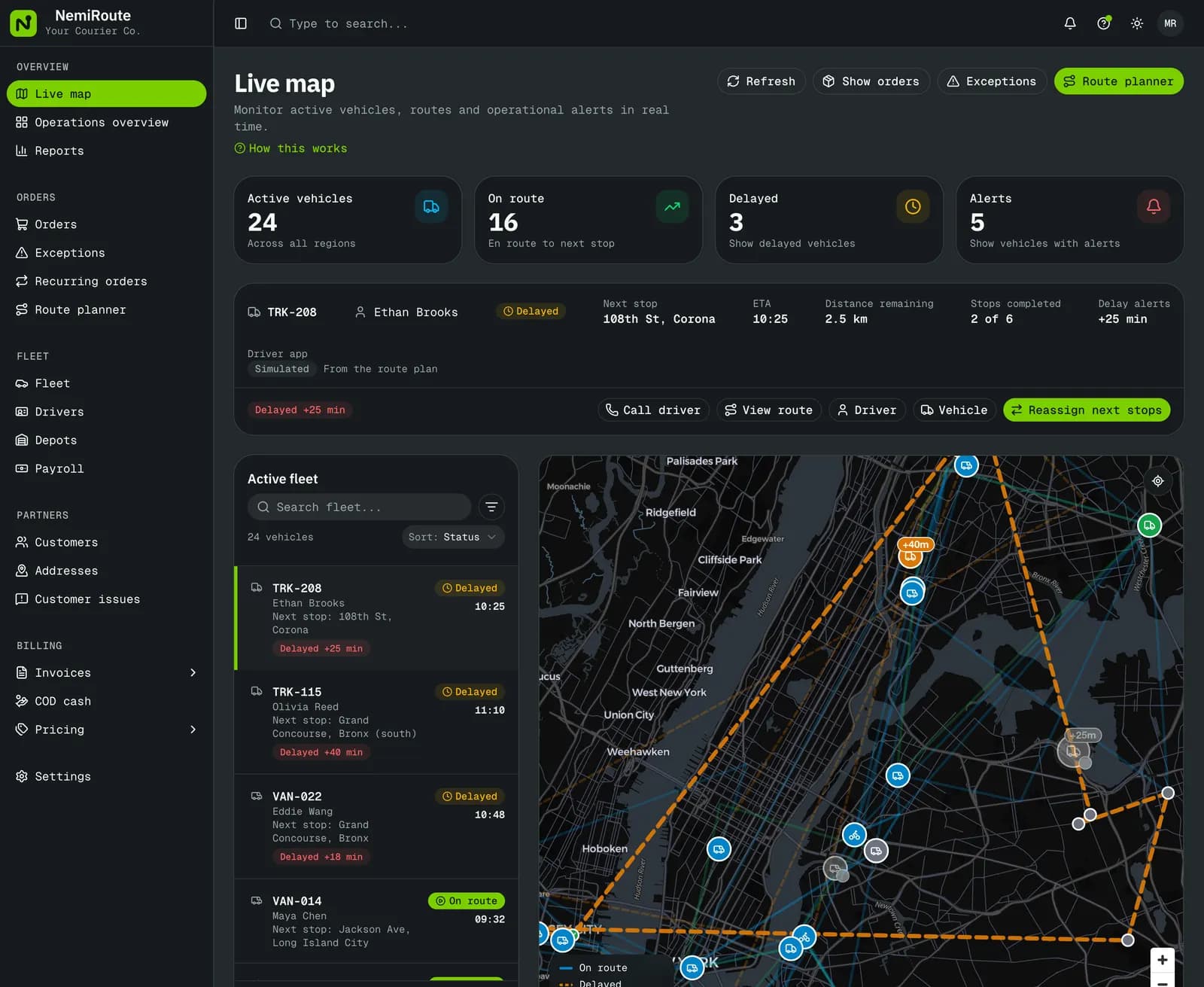
One order list from every channel, a route planner with estimated distance and load, the live map, and an exceptions queue for failed and late work.
Dispatch & live map →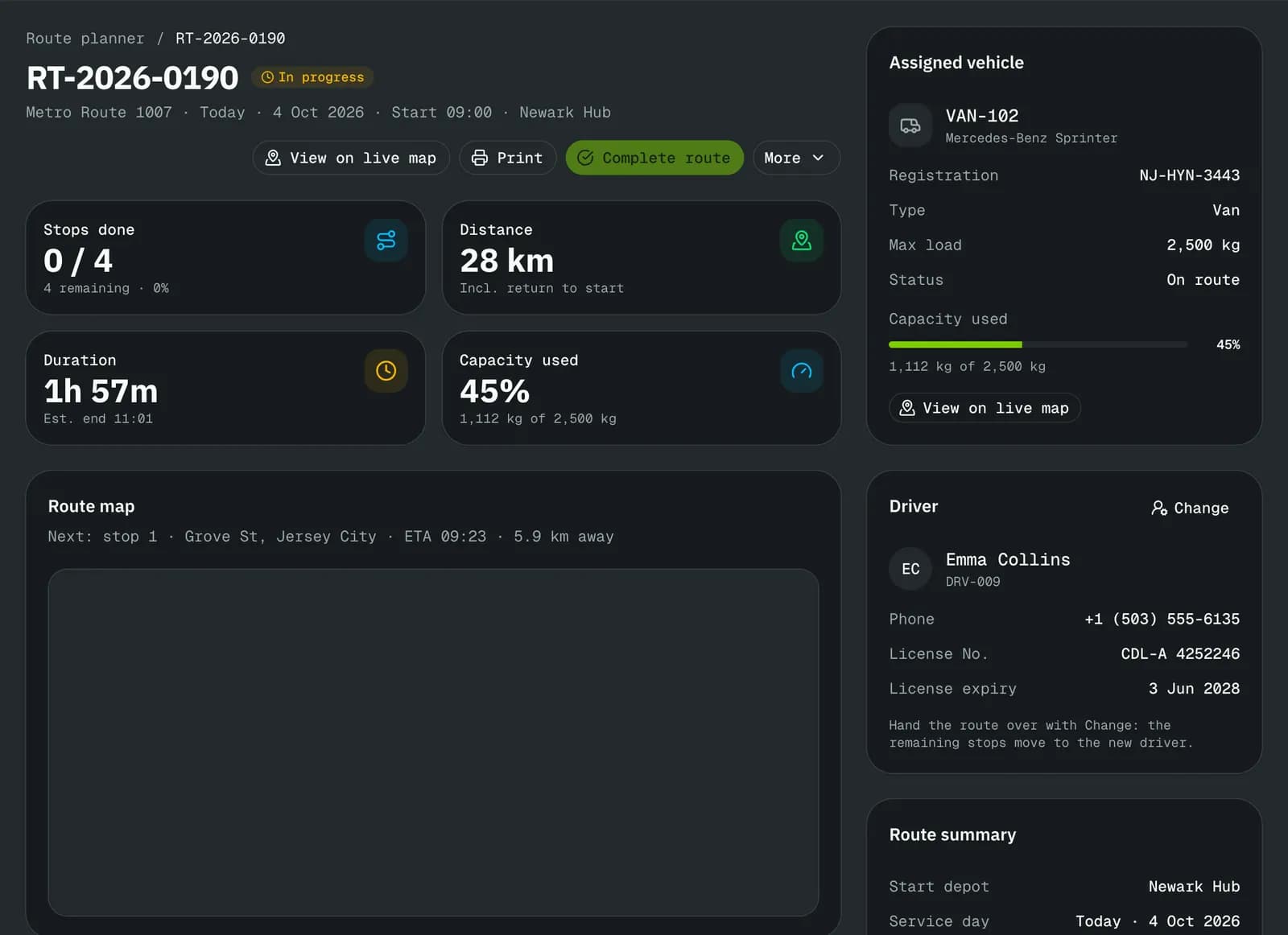
Driver app and tracking page
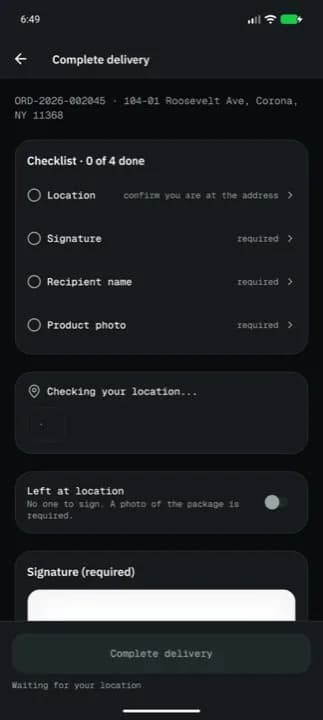
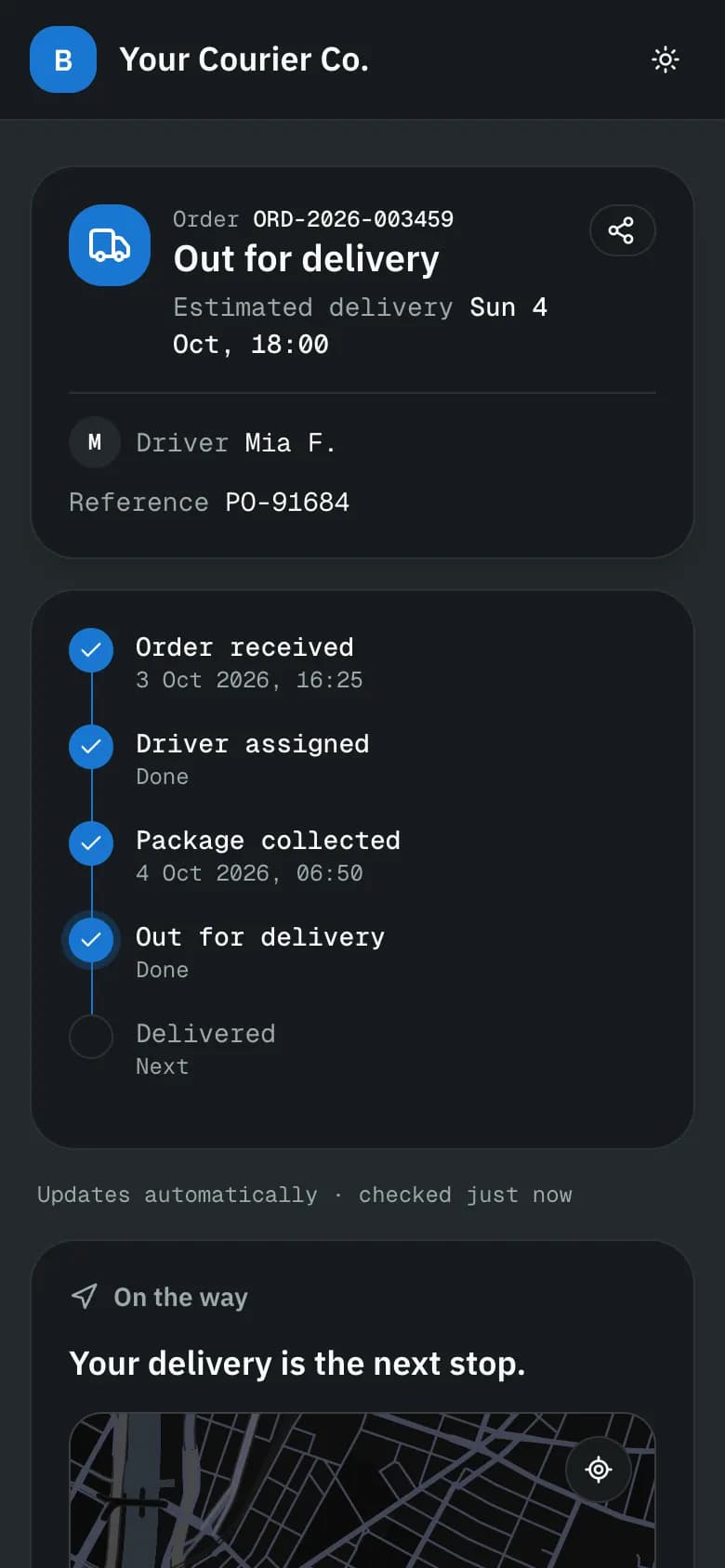
The driver sees one next action. Completing a stop is a checklist, and the server checks it again. The recipient follows the same stop on a tracking page, no account needed.
Billing
Invoices from delivered orders, card payments into your own Stripe account, statements, credit notes and aging, plus COD cash per driver and pay statements.
Billing & payments →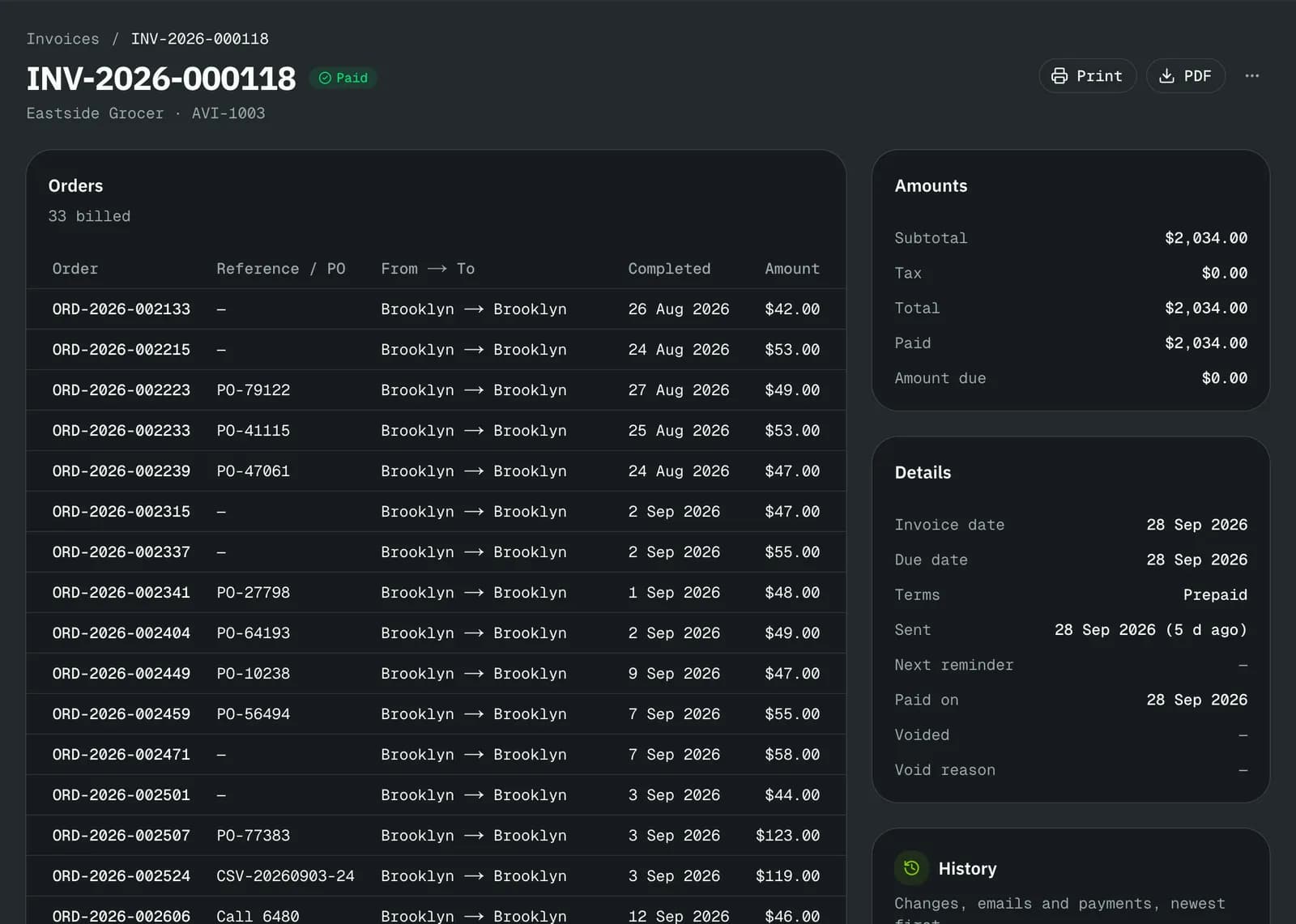
Before you switch
What it does not do yet.
Better to read it here than to find out in week two. We update this list as each item ships; the What’s new page has the details.
- Distance
- Distance is a straight-line estimate from pickup to delivery until a road-routing provider is connected; route times use the speeds you set per vehicle class.
- Canada
- Invoices carry GST/HST/QST, customers can be billed in CAD, driver pay is in the company’s currency, and customer messages go out in English or French.
- Certifications
- No SOC 2 or ISO 27001 report today. We answer security questionnaires; the security page lists what is built.
- Accounting
- QuickBooks and Xero get import files, not a live sync.
Pricing
Start free. Pay as your order volume grows.
Every plan has dispatch, the driver app, the customer portal, tracking pages and invoicing. Plans differ by orders a month and a few features. Month to month. Compare plans.
Who is NemiRoute for?
Courier and delivery companies that deliver for other businesses: same-day couriers, scheduled B2B distribution, medical and lab couriers, and last-mile delivery for shops and online sellers, in the US and Canada.
We run on spreadsheets today. How do we move?
Customers import from a CSV file and orders from CSV or Excel, each with a preview and row-level errors. Prices, drivers and vehicles are set up in the app, and the setup guide ticks each step off as the data appears. New sign-ups are reviewed by our team first; once your account is approved you can run a first delivery the same day.
Do my drivers need a special phone?
No. The driver app runs on ordinary iPhone and Android phones, and drivers sign in with their own account. Dispatchers can also update an order’s status from the dashboard.
Does it work for Canadian couriers?
It is built for both countries: each customer is billed in USD or CAD, the tax engine has GST, HST and QST, the accounting export maps a tax code per tax and province, and emails and texts go out in English or French. Gaps that remain: the portal, tracking pages and help articles are in English only.
How do card payments work, and who pays the fees?
You connect your own Stripe account. Customers pay invoices by card on a hosted Stripe page and the money goes to your account. Stripe’s processing fee and the platform fee for your plan come out of that payment; the pricing page lists both.
Is there a contract?
No. Plans are month to month and can be changed or cancelled from the app. The free plan has no time limit.
Try it on your own orders.
The free plan needs no card. Set up your prices, add a customer and a driver, and run a delivery the same day, or book a walkthrough on the demo company first.