Skip to content

Driver app

A driver app that will not close a stop without proof.

The driver app for iPhone and Android: clock in, see the next order with one main action, navigate, complete the proof checklist, report a failed attempt and check earnings. You decide what proof each customer, service or address needs, and the server checks it again, so a stop cannot be completed around it.

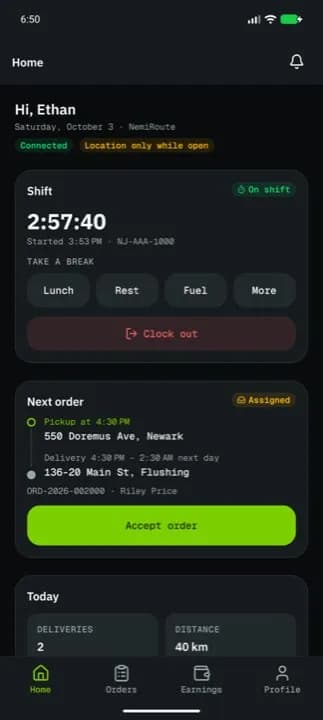
Driver app home: the shift timer, break buttons and the next order with one Accept order button

At a glance

What it does

Proof you choose
Signature, photo, recipient name, ID and age check, and a delivery PIN, each off, optional or required, for pickup and delivery. Set it for the company, then per customer, service, address or order.
Left at location
Allowed or not by the same rules. When it is, a photo is always required instead of the signature; an ID check can never be left at the door.
At the address
A GPS gate that is off, warns (the driver gives a reason) or blocks, with a radius from 25 m to 5 km. The app shows how far off the driver is.
Exceptions on the record
Only an admin can complete a stop without proof, with a written reason that goes into the activity log.
No signal
Actions and proof photos queue on the phone and are sent when the connection returns, each with an idempotency key so nothing is recorded twice. A chip shows what is still to sync.
Built for the road
One 56 px primary action per screen, 48 px targets, dark, light and high-contrast outdoor themes, larger text when the phone asks for it, and English or Spanish.
Device safety
Short-lived sign-in tokens, outdated app versions refused, and remote sign-out from the dashboard.
In detail

Clock in, then one thing at a time

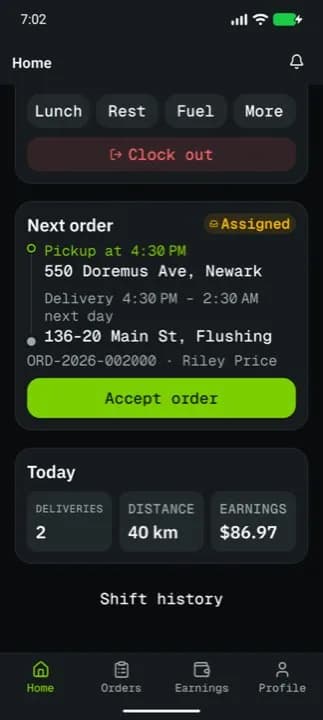
Drivers clock in with their vehicle, the odometer reading and a short checklist, and take breaks with one tap. Home shows the current or next order with its pickup-to-delivery timeline and the one action that comes next.

  • Shift timer and break chips (lunch, rest, fuel)
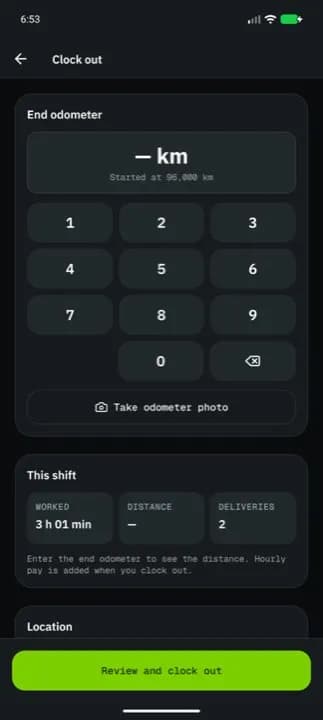
  • Odometer and vehicle check at clock-in and clock-out
  • Today’s deliveries, distance and earnings
  • Push notifications for new work and changes
Driver app: the next order with pickup time and addresses, one Accept order button, and today’s deliveries, distance and earnings

Proof of delivery as a checklist

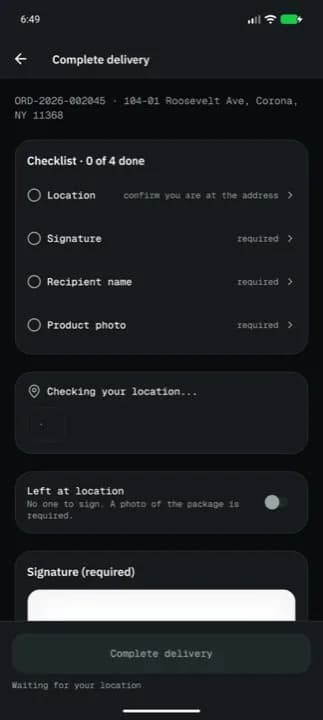
Completing a stop is a live checklist: location, signature, recipient name, photo, barcode and cash collected. Confirm says exactly what is missing, and a half-finished checklist survives the app being closed.

  • Signature and recipient name
  • Product photo, or “left at location” with a photo
  • ID and minimum-age check, or the recipient’s delivery PIN
  • Barcode scan against the package
  • Cash on delivery with the amount collected
Driver app proof of delivery: a checklist of location, signature, recipient name and product photo

When a delivery fails

From the order, the driver reports the problem with one of your failure reasons, a note and photos. Each reason carries its next step (retry, return or hold) and can require a photo; the screen says what will happen before the driver confirms.

  • Reasons, note and photos
  • Attempt count shown before confirming
  • Message or call dispatch from the order
  • Hand an order to another driver with a reason

What went wrong?

  • Customer absent
  • Wrong address
  • Package damaged
  • Customer refused
  • Can’t access
  • Unsafe location
  • Other

This will mark the delivery as failed. Attempt 1 of 3 — it will be retried.

The Report a problem screen in the driver app with the default reasons; your company sets its own list and the number of attempts.

Earnings drivers can check

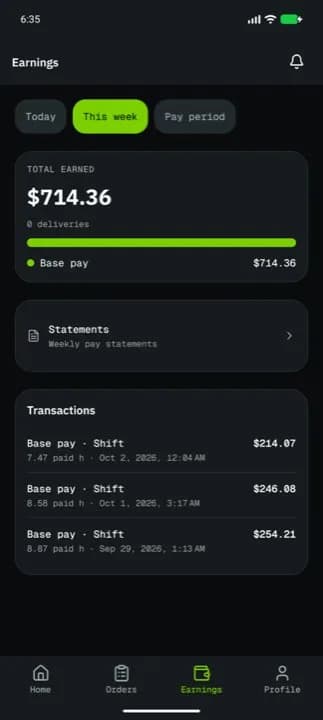
When you allow it, drivers see what they earned today, this week and this pay period, with their statements. Cash still in hand from COD orders is on its own tile.

  • Earnings by day, week and pay period
  • Pay statements
  • Network drivers see offers and payouts in the same app
Driver app earnings: this week’s total, statements and recent transactions

Limits

What it does not do yet

FAQ

Questions

Something else? Ask us.

Which phones does it run on?

iPhone and Android phones. Drivers install the NemiRoute driver app and sign in with the company ID and the account you create for them.

What happens with no signal?

The app keeps each action and proof photo in a queue and sends it when the connection returns. Each action carries an idempotency key, so a retry is never recorded twice.

Do drivers need a company phone?

No. Drivers use their own phone and their own sign-in, and you can sign a device out remotely from the dashboard.

Try it on your own orders.

The free plan needs no card. Set up your prices, add a customer and a driver, and run a delivery the same day, or book a walkthrough on the demo company first.