Skip to content

Dispatch & live map

One board for the day’s orders, and a map that shows who is running late.

Orders from your office, the customer portal, spreadsheets and the customer API land in one list. Dispatchers assign drivers, build tomorrow’s routes and watch today on a live map with every vehicle’s next stop, ETA and delay.

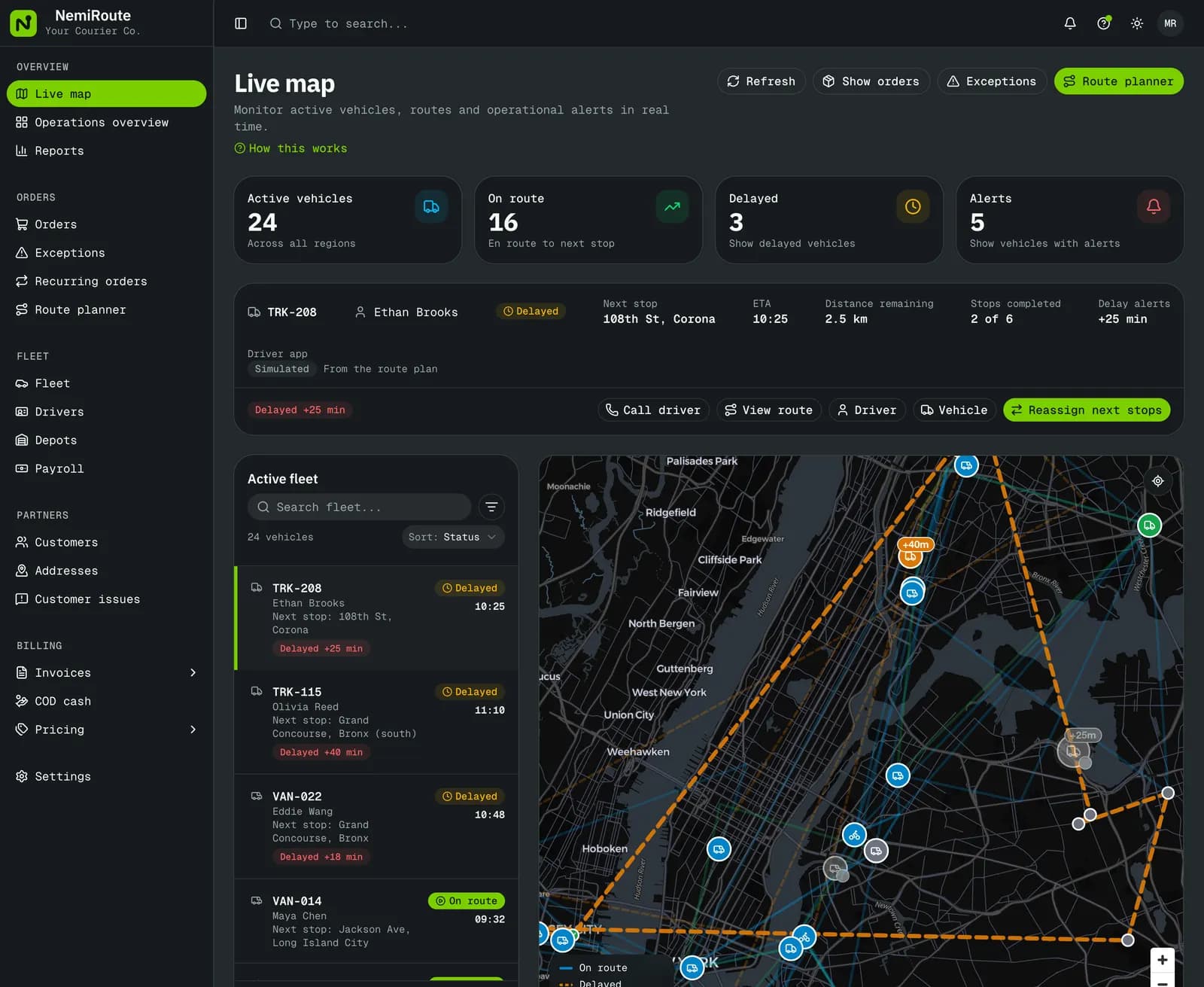
Live map: 24 active vehicles, 3 delayed, the selected truck with its next stop, ETA and delay, and every vehicle on a map of New York
The live map in the demo company: active vehicles, the selected truck’s next stop with its ETA and delay.

At a glance

What it does

One order list
Orders typed by dispatchers, placed in the customer portal, imported from CSV or Excel, or sent through the customer API, all with the same statuses.
Assign and reassign
Pick a driver and vehicle from the order or the board. Mid-day, hand a route’s remaining stops to another driver.
Live map
Every active vehicle with its next stop, ETA and how late it is running. Positions refresh about every five seconds.
Exceptions queue
Failed pickups and deliveries, late and stuck orders in one place, each with retry, return to sender or hold.

In detail

Every order in one list

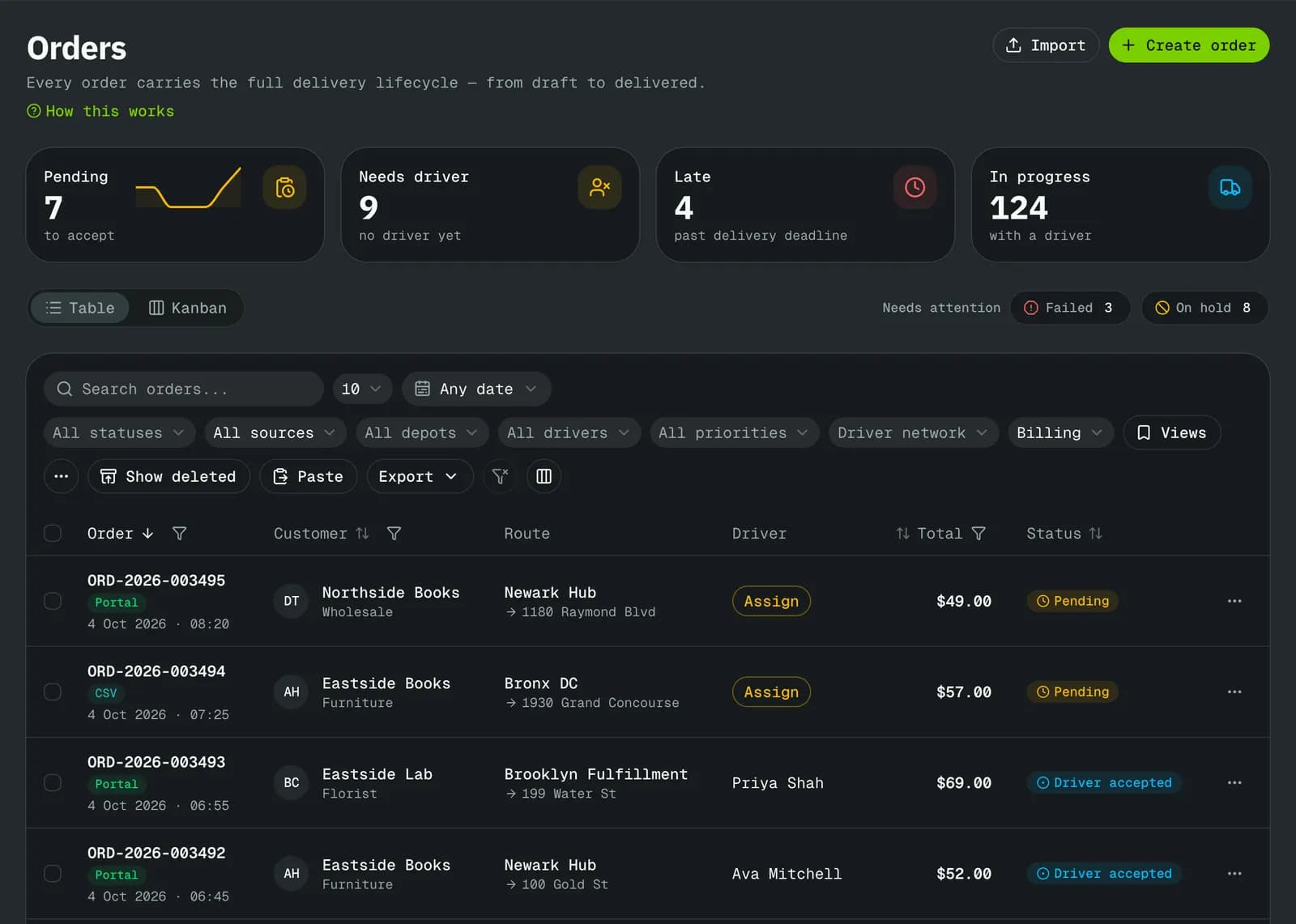
The order list is where dispatch starts the day. Quick filters show the counts that matter, and every order opens to its addresses, packages, price breakdown, proof and history.

  • Quick filters with counts: unassigned, late, failed, on hold, not yet invoiced
  • Bulk actions, saved views, column choice and CSV export
  • Shipping labels, waybills and bills of lading as PDFs
  • Copy the tracking link for the customer
  • Recurring orders for regular runs
Orders list with status, quick filters, search and bulk actions

Routes planned the day before

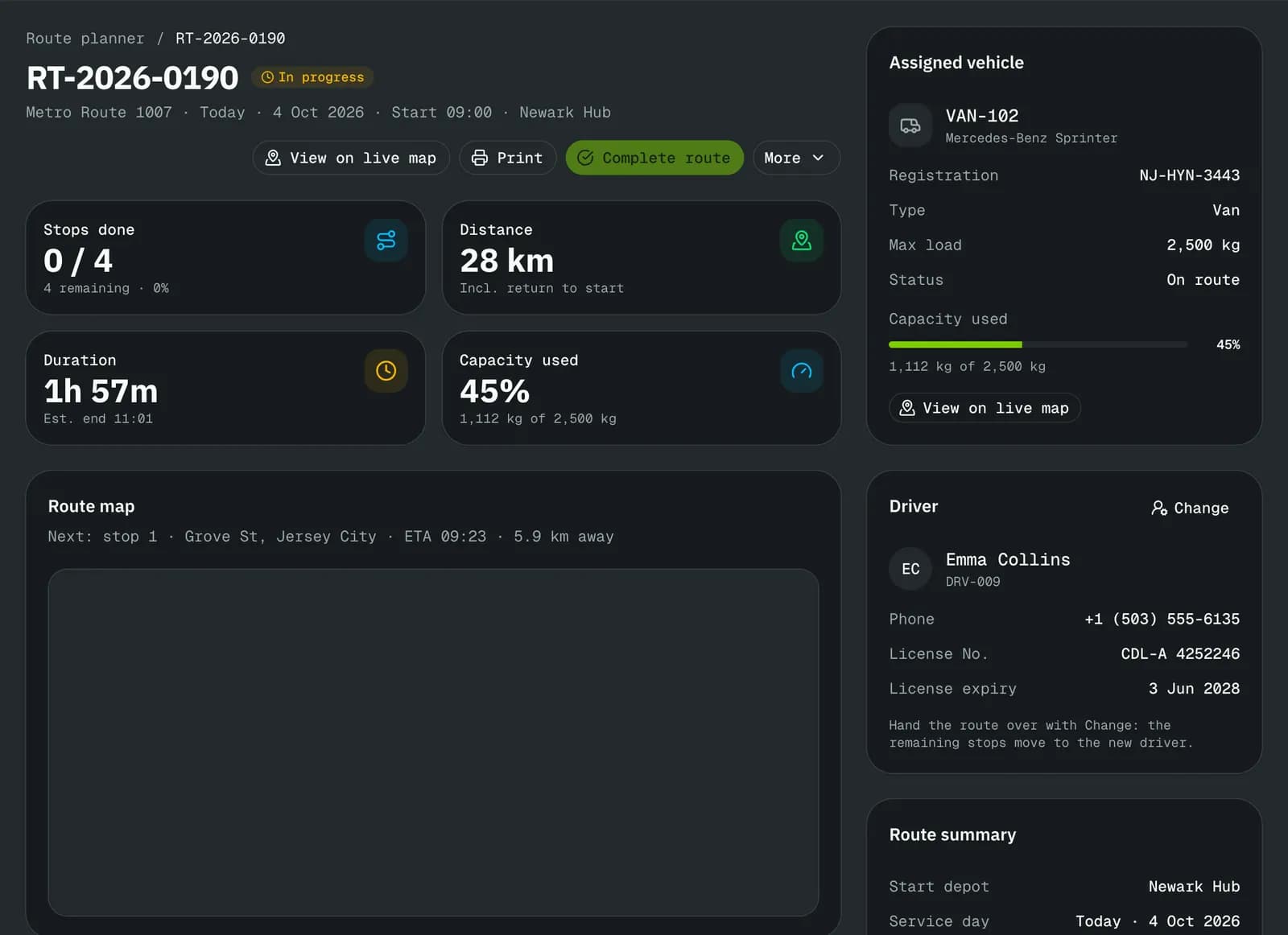
The route planner groups open orders into a route for a vehicle and a driver. It puts stops in a nearest-next order to start with; drag a stop to change it. Estimated distance, duration and the load against the vehicle’s capacity show before you dispatch.

  • Drag stops to reorder; estimates update
  • Load against the vehicle’s weight limit, and volume or pallets when you turn those checks on
  • Hand the remaining stops to another driver mid-day
  • Dispatch sends the route to the driver
A route in progress: stops done, distance, duration, vehicle capacity used, the assigned driver and the route on a map

Problems come to you

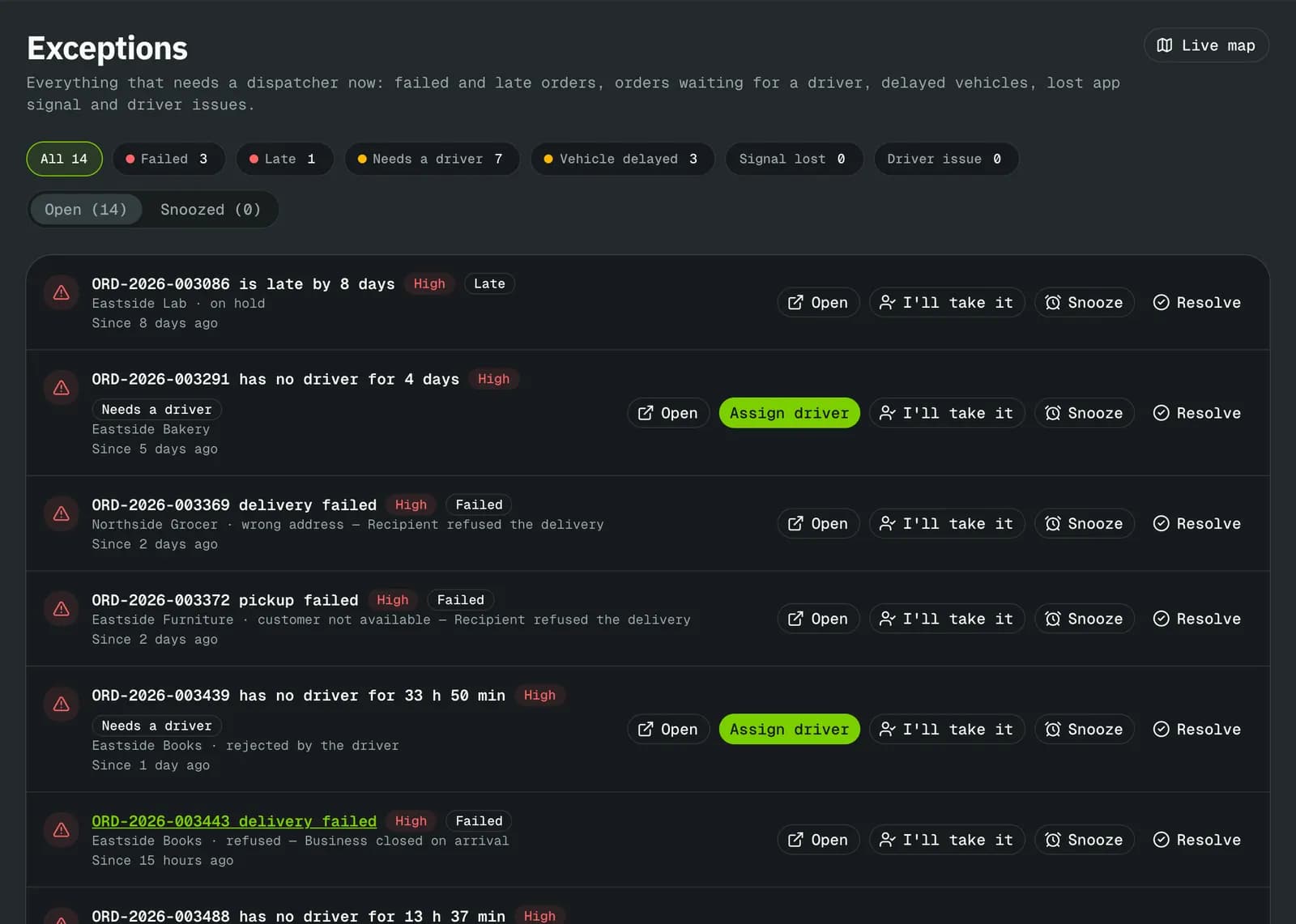
Failures and late work collect in the exceptions queue with the driver’s reason and the next step. The bell, email or a text tells the right person, inside the quiet hours each person sets.

  • Retry, return to sender or put on hold from the queue
  • Your own failure and cancel reasons, each with its next step, and a maximum number of attempts
  • Alerts in the app inbox, by email or by text
  • A daily or weekly summary at the time you choose
Exceptions: failed, late and stuck deliveries in one queue

The first screen in the morning

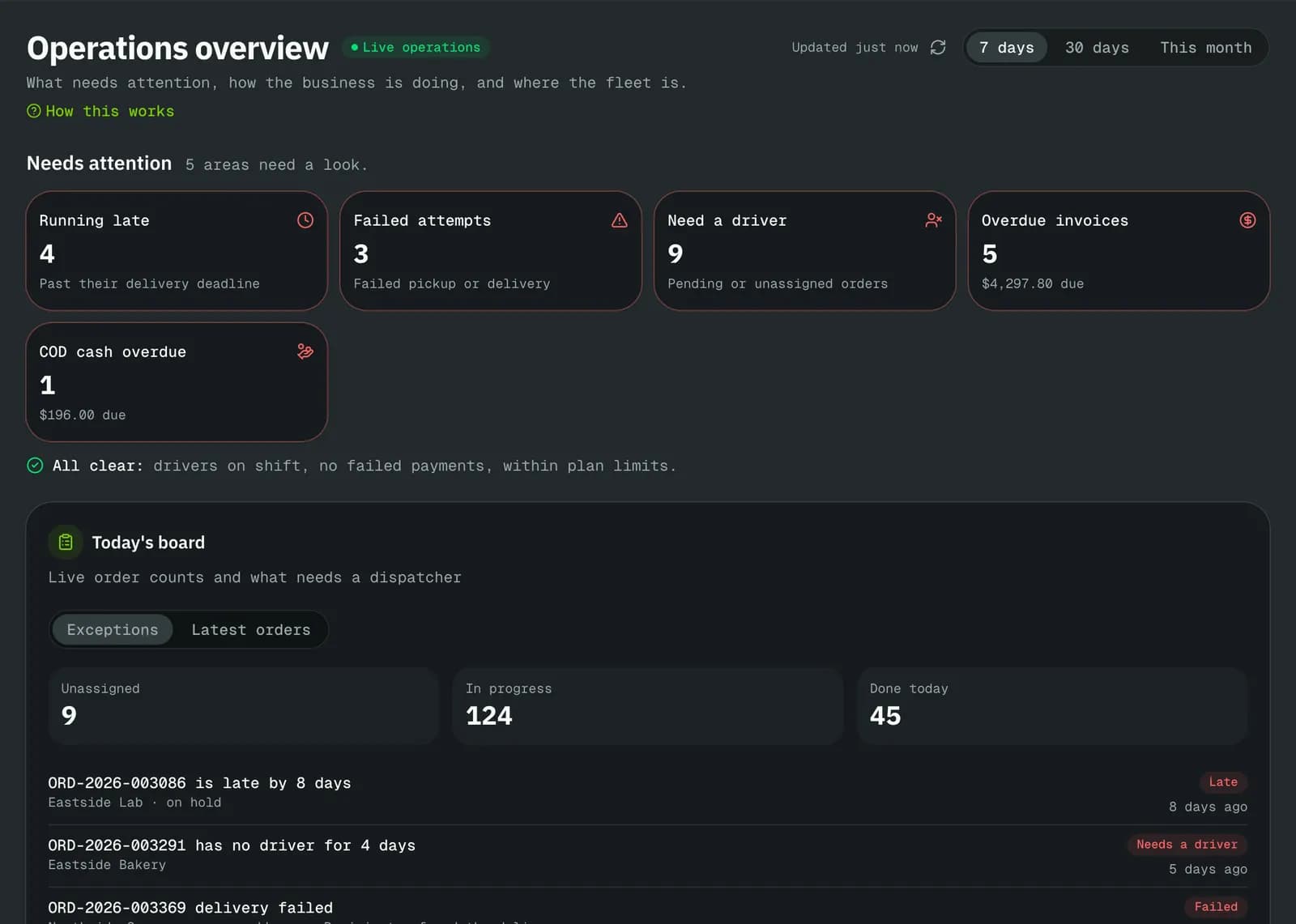
The operations overview starts with what needs a decision (late, failed, unassigned, overdue invoices, COD cash still with drivers), then the week’s orders and revenue. Every number links to the list behind it.

  • 7-day, 30-day and month views
  • Reports on delivery performance, revenue and customers, exportable to CSV
  • Ctrl+K finds any order, customer, invoice or action
Operations overview: running late, failed attempts, orders that need a driver, overdue invoices and COD cash overdue

Limits

What it does not do yet

Try it on your own orders.

The free plan needs no card. Set up your prices, add a customer and a driver, and run a delivery the same day, or book a walkthrough on the demo company first.