Skip to content

Billing & payments

Delivered orders become invoices, and invoices get paid by card.

Invoice a customer’s delivered orders by hand or on a schedule, take card payments into your own Stripe account, and keep statements, credit notes and the aging report in the same system. Cash on delivery and driver pay sit next to it.

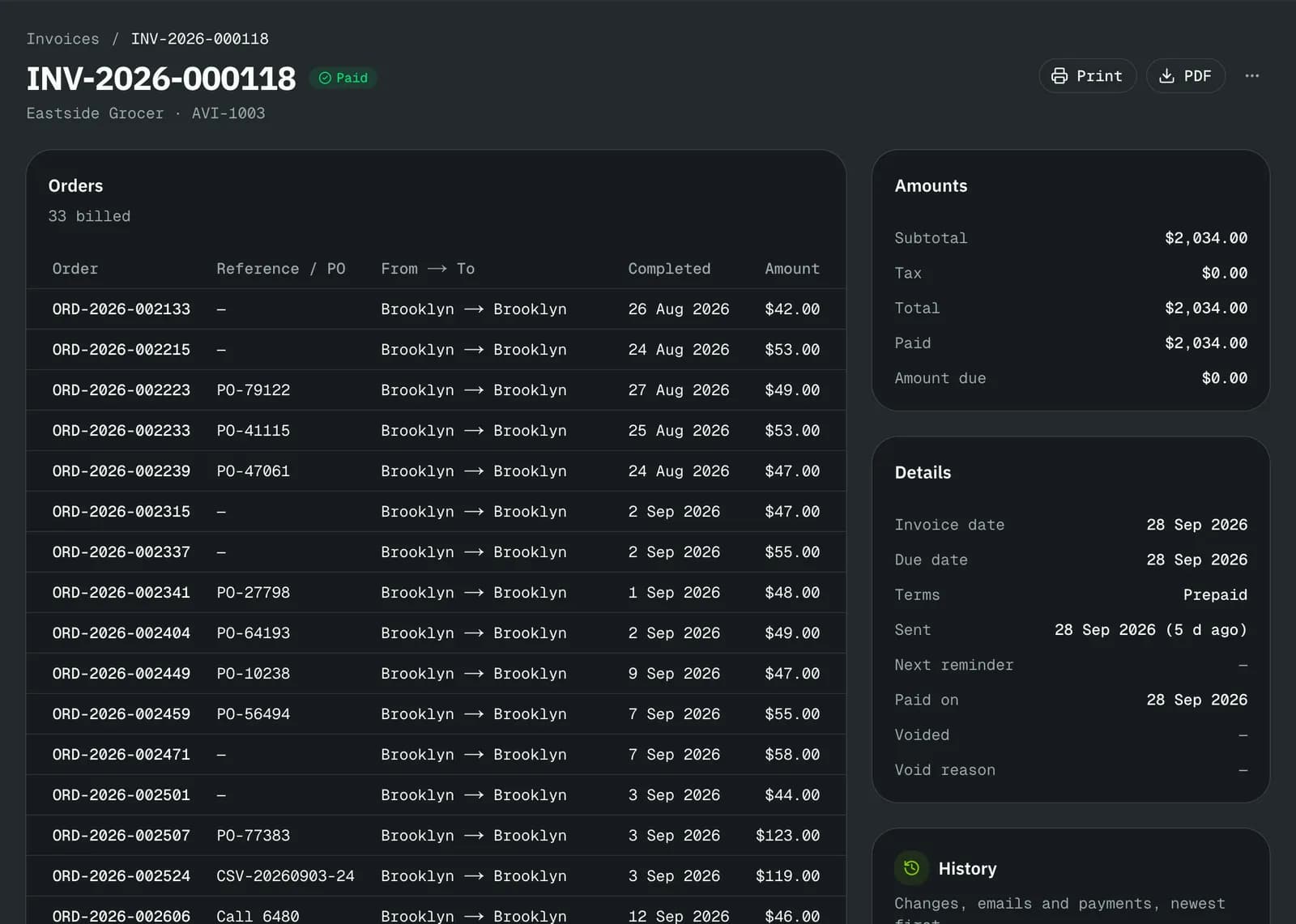
A paid invoice with the orders it bills, amounts, dates and history
A paid invoice: the orders it bills, amounts, dates and its history.

At a glance

What it does

Invoices
From a customer’s delivered, unbilled orders, by hand or automatically on a schedule. PDF, email and reminders before and after the due date.
Card payments
Customers pay on a hosted Stripe page; the money goes to your own Stripe account (Stripe Connect) and the invoice is marked paid when it clears.
Other payments
Cheques, transfers and cash with a reference. One payment can settle several invoices; a wrong one is reversed from its row.
Statements and aging
Open balances grouped by how late they are, and a statement per customer by email or PDF.
Credit control
Exposure counts open invoices and delivered work not yet billed. Over the limit or past the overdue days you set, new orders warn, wait for approval or are blocked. Prepaid customers’ credit pays their invoices.
COD cash
Cash collected on delivery is tracked per driver until it is handed in; overdue hand-ins are flagged.
Driver pay
Pay plans per delivery with a simulator, pay periods, statements to approve, and an export.
Currencies
Each customer is billed in USD or CAD, with price sets per currency.
Accounting
Invoice and payment files in the formats QuickBooks and Xero import. A file export, not a live sync.
In detail

Invoices, payments and credit

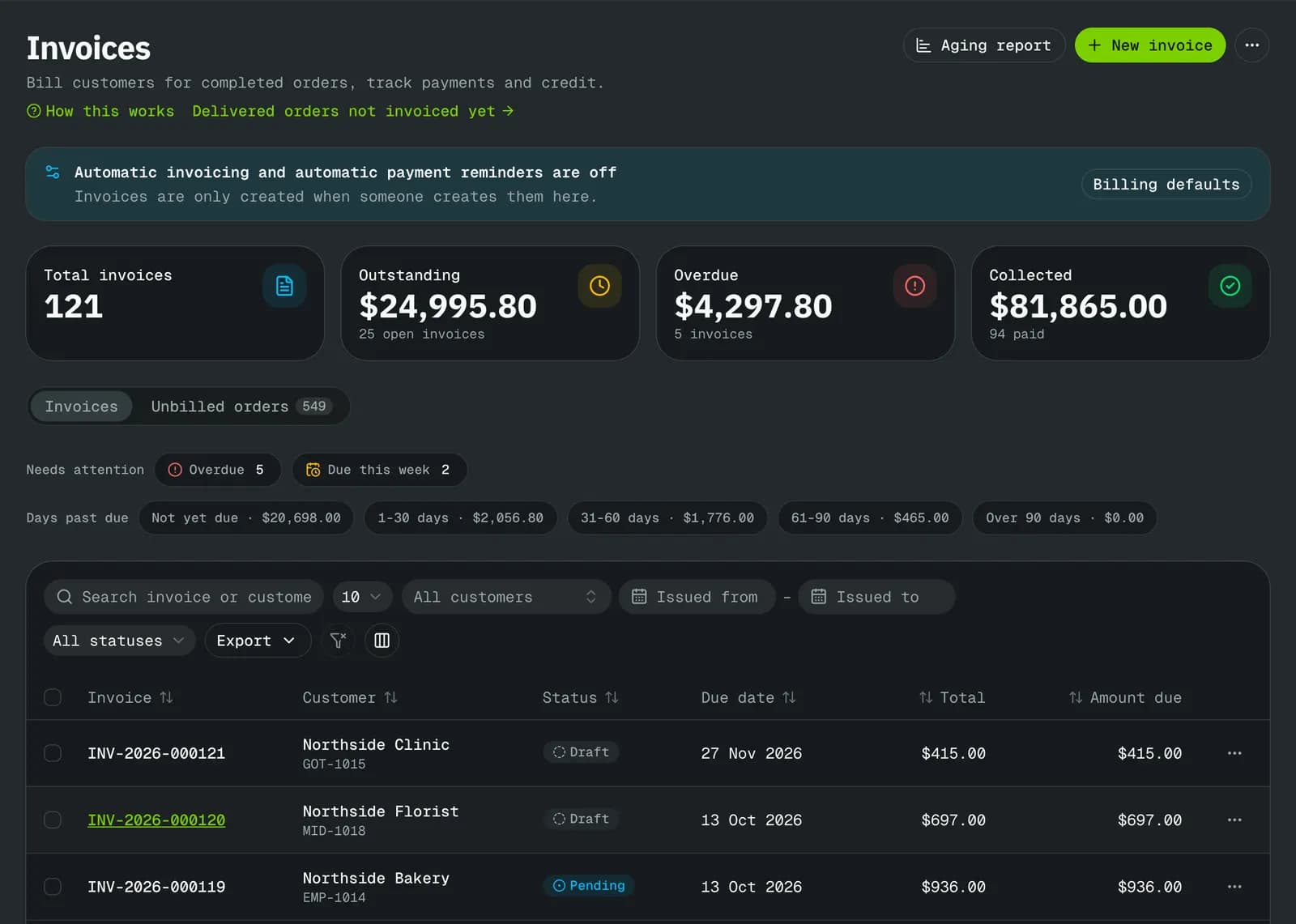
Pick a customer’s delivered orders, or let automatic invoicing do it on the customer’s schedule. Invoices carry your footer, bank details and numbering, and you preview them before they go out.

  • Print or PDF, send by email, send reminders
  • Numbered credit notes with tax
  • US sales tax and Canadian GST/HST/QST on invoices
  • Reverse a wrong payment from its row
Invoices list with totals, status and amounts due

Who owes what

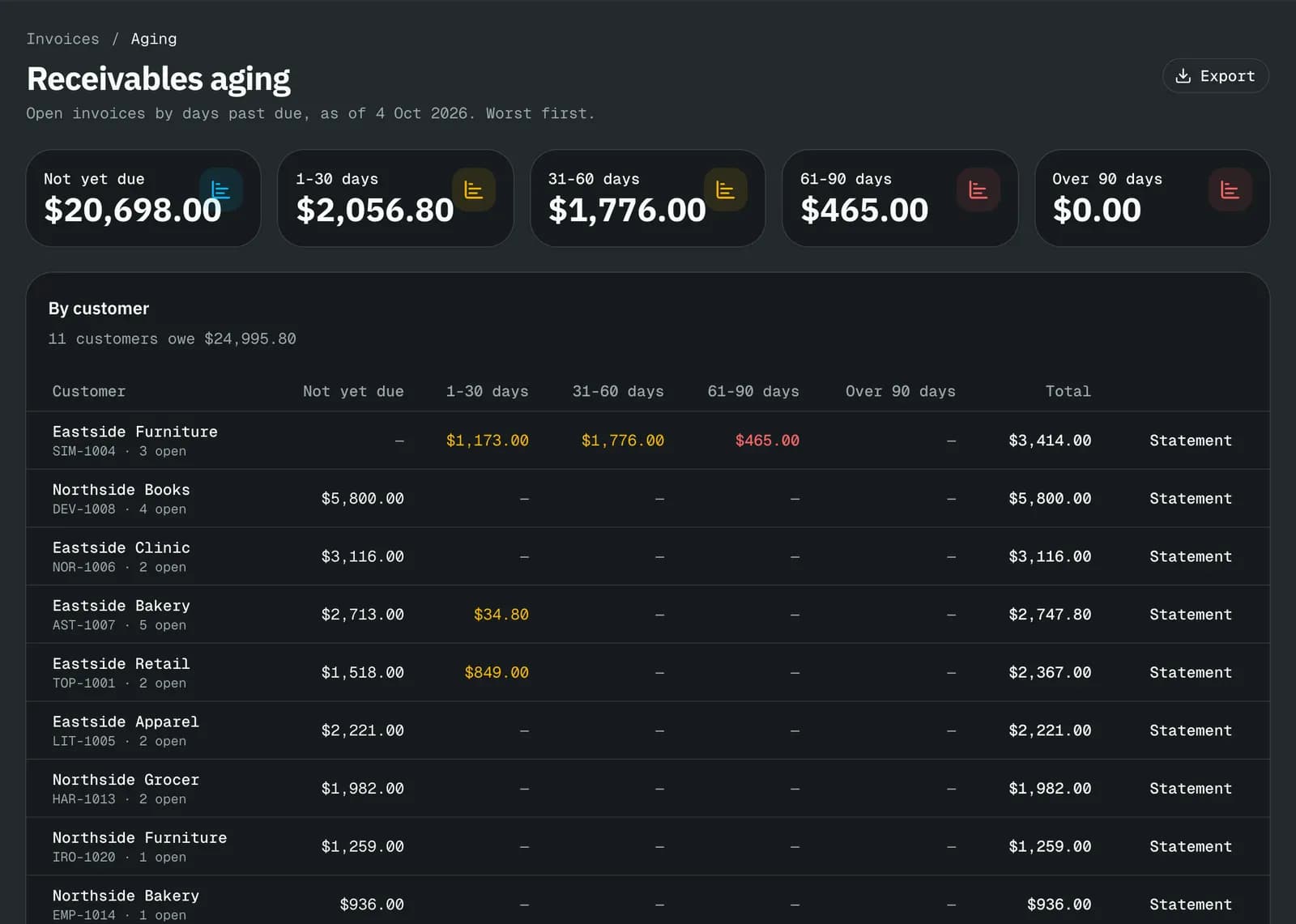
The aging report groups open balances by how late they are. Overdue invoices also show on the operations overview, where dispatch and finance both see them.

  • Statement per customer
  • Overdue invoices on the operations overview
  • QuickBooks and Xero files
Aging report: who owes what, grouped by how late it is

Cash on delivery and driver pay

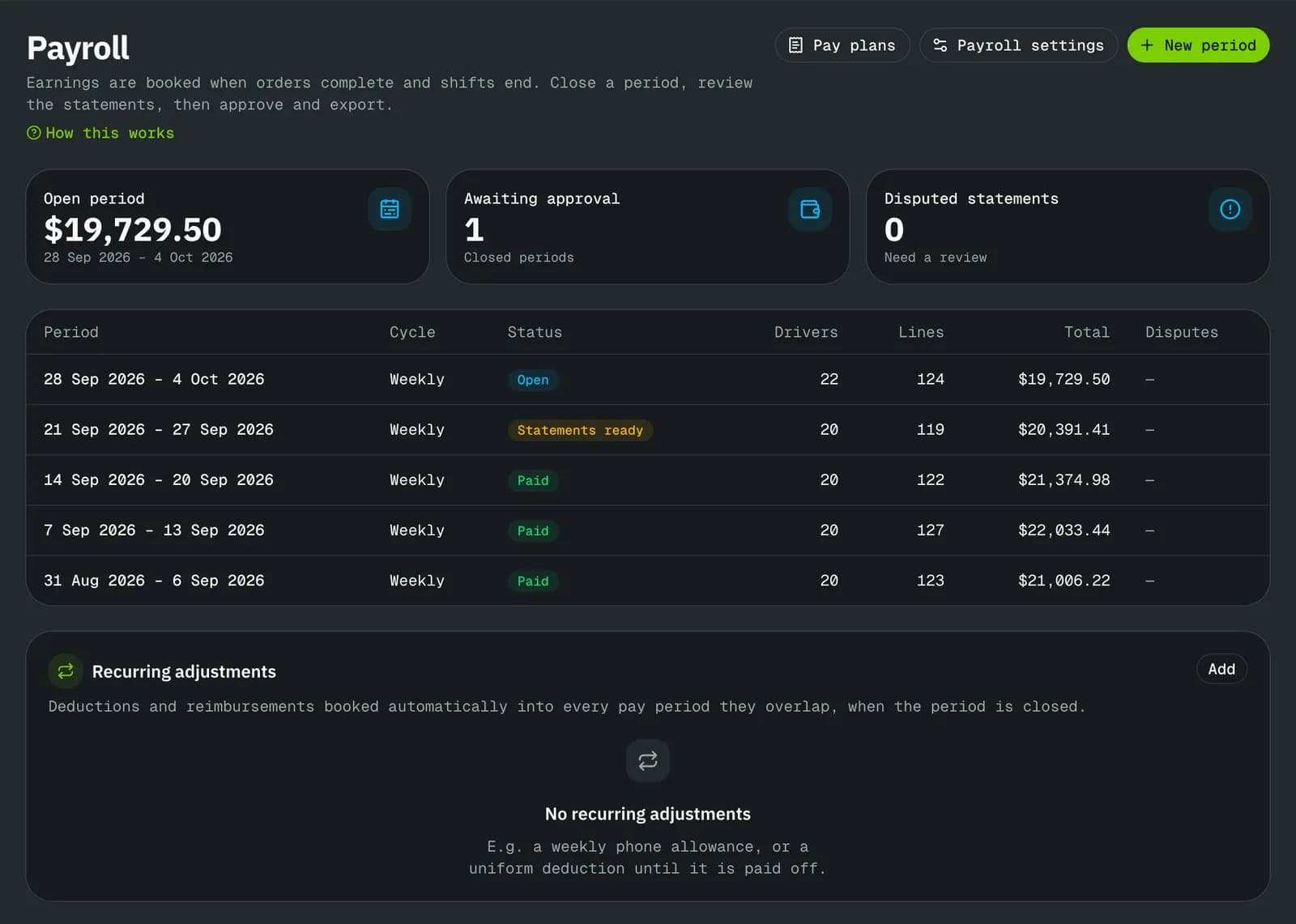
Cash collected at the door is recorded against the driver who holds it until it is handed in. Pay plans turn delivered orders into pay statements to review, approve and export.

  • COD cash per driver, with overdue hand-ins flagged
  • Pay plans per delivery, with a simulator
  • Pay periods, statements, approval and export
Driver payroll: pay periods and statements to review and approve

Limits

What it does not do yet

FAQ

Questions

Something else? Ask us.

Who pays the card fees?

When your customers pay you by card, Stripe’s processing fee and the platform fee for your plan come out of that payment. The pricing page lists both per plan.

Do I need Stripe?

Only to take card payments. Invoices, cheques, transfers, cash and statements work without it.

Try it on your own orders.

The free plan needs no card. Set up your prices, add a customer and a driver, and run a delivery the same day, or book a walkthrough on the demo company first.