Skip to content

Customer portal & tracking

A portal where your business customers order, track and pay, so they stop phoning dispatch.

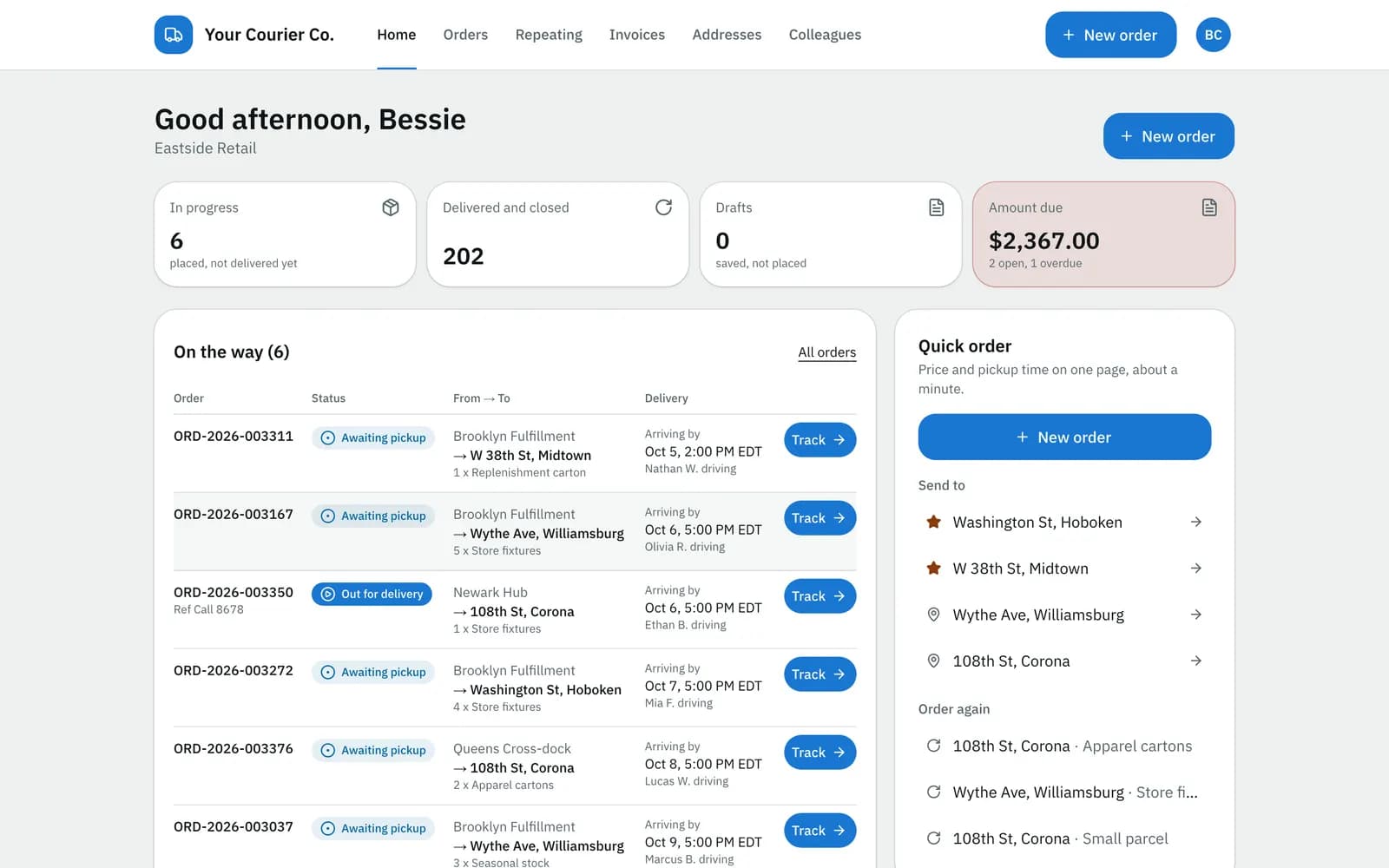
Your customers get their own sign-in: they place orders with a live price from your rate card, follow every delivery and pay their invoices by card. Recipients get a tracking link by email or text, no account needed.

Customer portal home: orders on the way with a Track button, amount due and quick reorder
Portal home for a business customer: deliveries on the way, the amount due and quick reorder.

At a glance

What it does

Ordering
The order form prices the order from your rate card while the customer fills it in, and the price is locked when they place it.
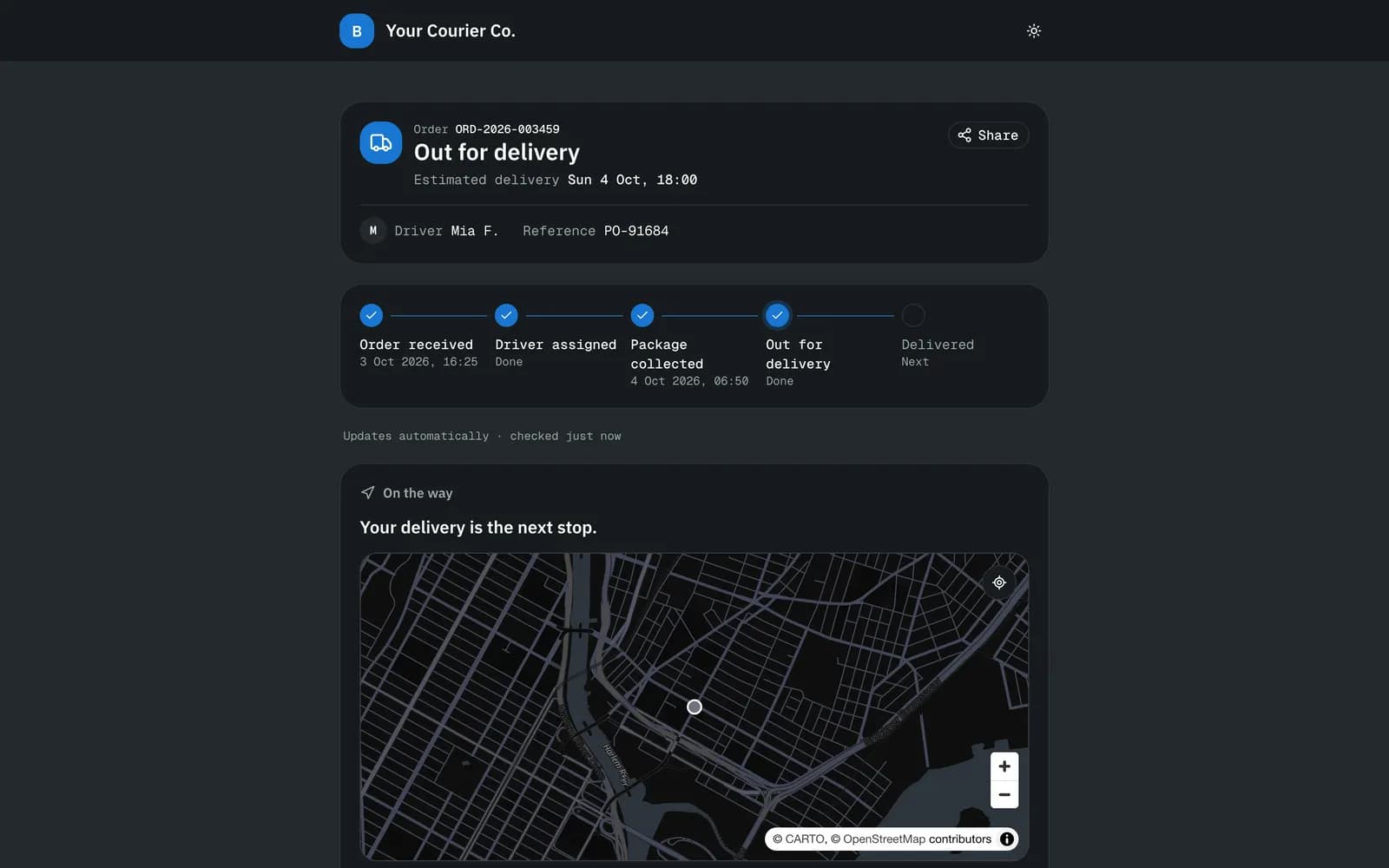
Tracking page
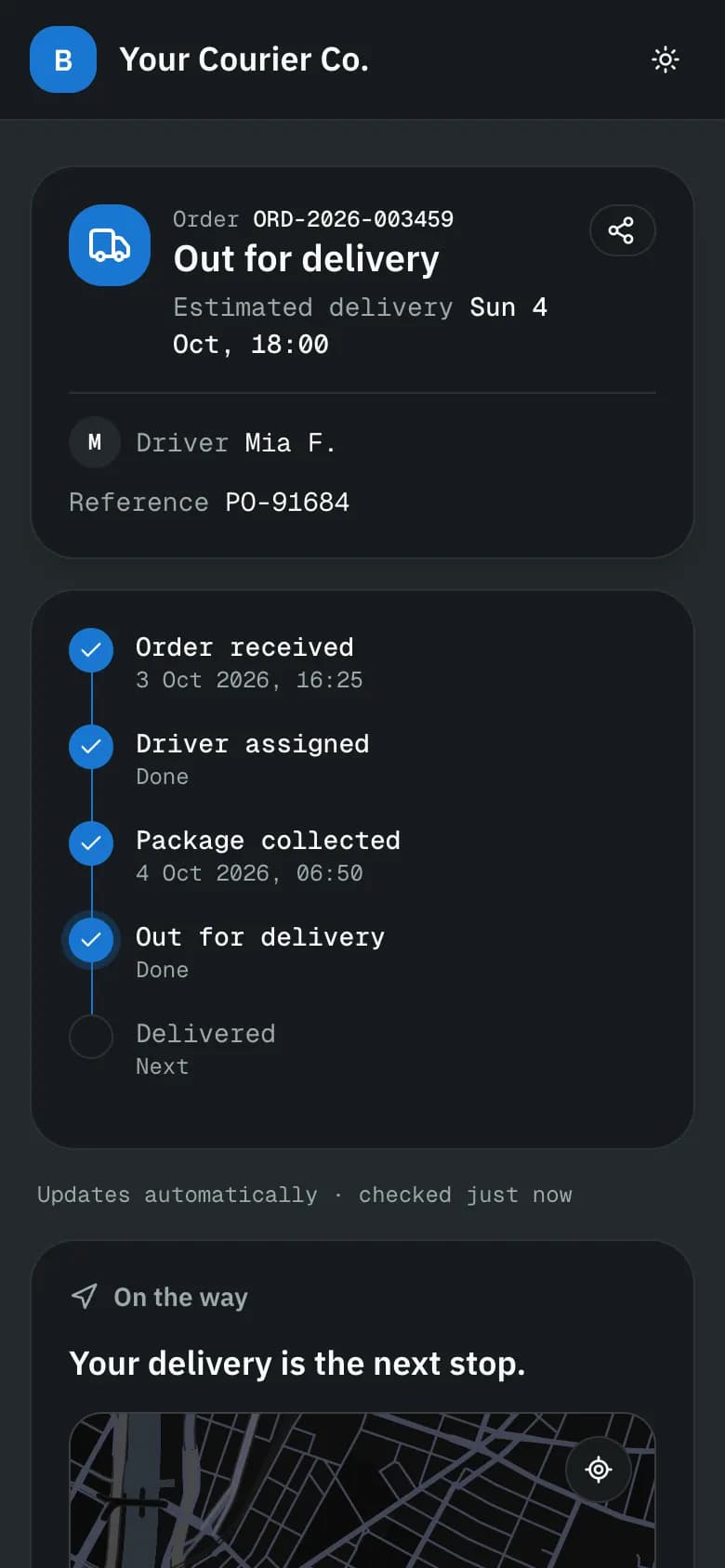
One link per order. Status timeline, estimated delivery, and the driver on the map when the delivery is the next stop.
Updates
An email and a text template for each order event (placed, picked up, out for delivery, delivered, failed), edited by you.
Invoices
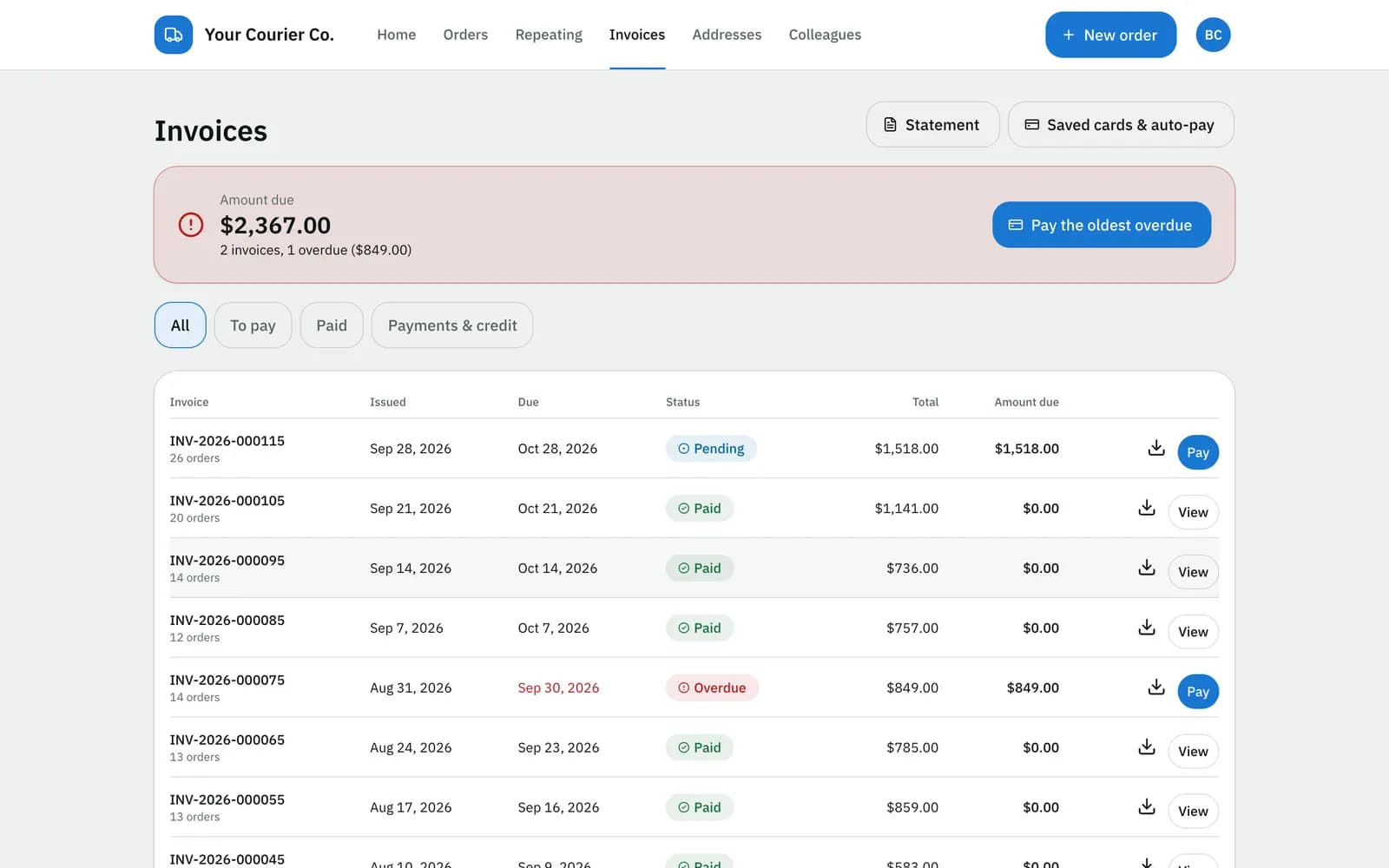
Open and paid invoices, statements, and card payment through Stripe. Customers can save a card for automatic payment.
Your brand
Your logo and colours on the portal, tracking page, emails and documents (Growth plan and up).

In detail

Ordering in about a minute

Saved addresses, usual places and “order again” keep the form short. Customers can upload a spreadsheet for many orders at once and set up repeating orders they can pause or skip.

  • Live price with its breakdown
  • Address book with favourites and defaults
  • Spreadsheet upload with a preview and row errors
  • Colleagues with their own logins under one customer account
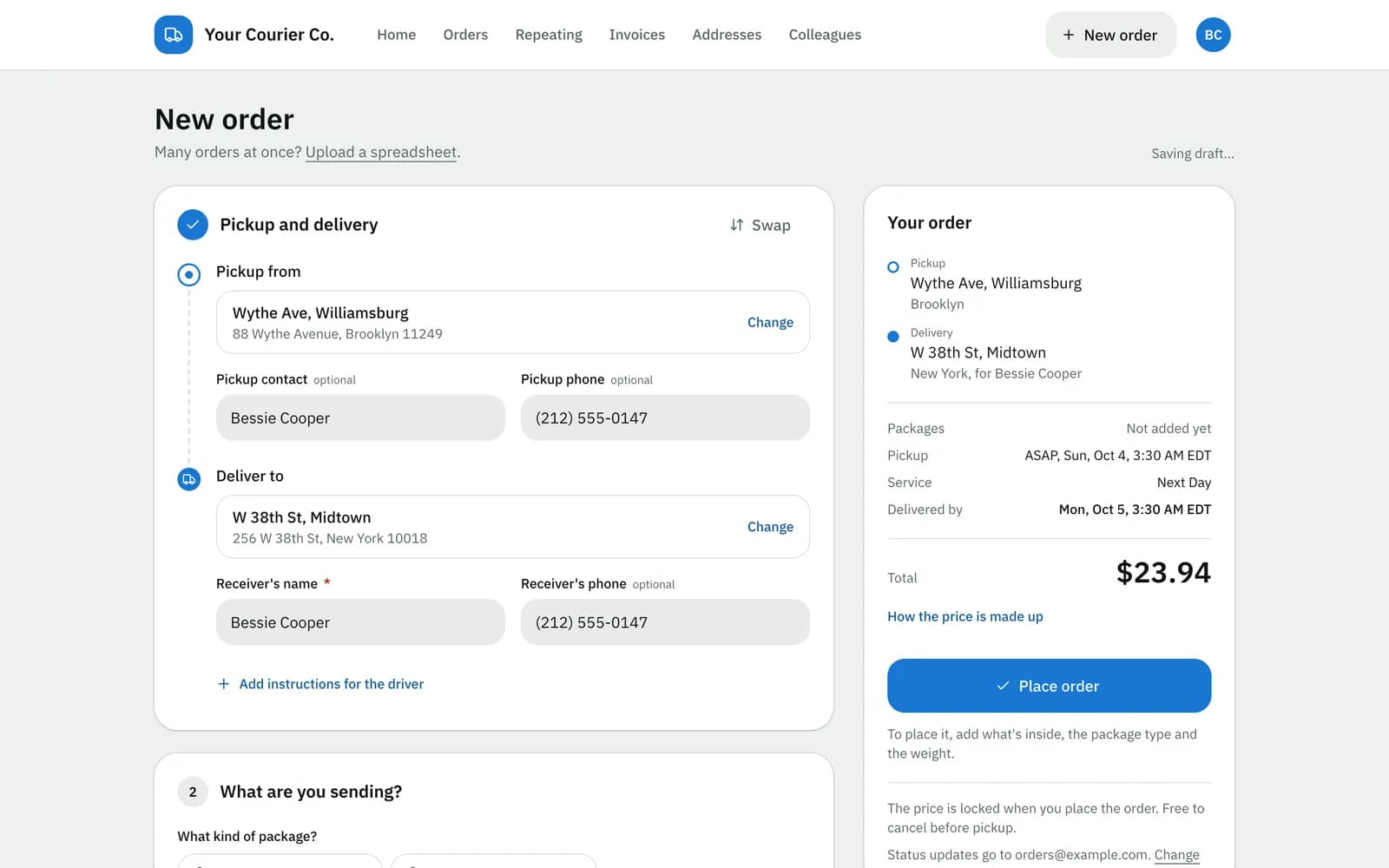
Customer portal order form: pickup, delivery, the order summary and the price

A tracking page for every order

Recipients open the link from their email or text and see where the order is. The page refreshes on its own.

  • Status timeline and estimated delivery
  • The driver on the map when the delivery is the next stop
  • Delivery instructions and change requests go to your team as a note and an alert
  • Sign up for text updates; rate the delivery afterwards
Public tracking page: the order status timeline, estimated delivery and the driver on a map

Invoices they can pay

Customers see what they owe, download invoices and statements, and pay one or several invoices by card. The invoice is marked paid when Stripe confirms the payment.

  • Pay several invoices at once
  • Saved card and automatic payment
  • Statements on demand
Customer portal invoices: open and paid invoices with online payment

Limits

What it does not do yet

Try it on your own orders.

The free plan needs no card. Set up your prices, add a customer and a driver, and run a delivery the same day, or book a walkthrough on the demo company first.