Zone pricing explained for couriers: zones, zone tables and modifiers
How a courier quote is built from postal-code zones, a zone-to-zone price table and a short list of surcharges, with a worked example you can check by hand.
5 min read
Ask five couriers how they price a delivery and you will hear five answers: a flat rate inside the city, a per-kilometre rate, a rate card on the office wall, "it depends on the customer", and "I just know". All of them can work. What does not work is a price nobody can explain twice.
The takeaway: a good courier price is a lane price plus a few clearly named adjustments, applied the same way to every order. Zones and zone tables give you the lane price. Modifiers give you the adjustments. This post explains both and walks through one quote step by step.
Zones: grouping postal codes into areas
A zone is a named area made of postal codes. In Canada the natural building block is the forward sortation area (FSA), the first three characters of a postal code: M5V is part of downtown Toronto, H2X is in central Montréal, V6B is downtown Vancouver.
Three practical rules make zones work:
- Start broad. One zone per area you price differently, not one per FSA. Most couriers need between five and twenty zones for a metro area.
- Allow exceptions. A tower, a hospital campus or a hard-to-reach address might need its own price. A zone made of a full postal code (
M5V 2T6) inside a wider FSA zone handles that, as long as the longest match wins. - Decide what happens outside your zones. Refuse the order, accept it and hold it for a manual quote, or price it from a fallback. Make the choice once rather than at the counter.
Zone tables: one price per lane
A zone table is a grid. Rows are the pickup zone, columns the delivery zone, and each cell is the base price for that lane. The diagonal is the price within one zone.
Here is a small example table for an imaginary Toronto courier. The numbers are illustrative, not market rates:
| From ↓ / To → | Downtown | Midtown | Etobicoke | Mississauga |
|---|---|---|---|---|
| Downtown | $18 | $22 | $30 | $38 |
| Midtown | $22 | $18 | $28 | $36 |
| Etobicoke | $30 | $28 | $20 | $26 |
| Mississauga | $40 | $38 | $26 | $22 |
Two things to notice. First, the lanes do not have to be symmetrical: Mississauga to Downtown is $40 but Downtown to Mississauga is $38, perhaps because the return trip into the core is slower. Second, an empty cell is different from a zero: zero means free, empty means "we have no price for this lane".
Why a table rather than a per-kilometre rate? Because distance is a poor proxy for effort in a city. Ten kilometres across a downtown core at 4 pm costs more driver time than ten kilometres along a highway. A table lets you price what a lane actually costs you. Many couriers combine the two: a table for the core service area and a per-kilometre modifier beyond it.
Modifiers: the adjustments everyone understands
Modifiers are the surcharges and discounts on top of the base price. The common ones for couriers:
- Weight. A charge per kilogram over a free allowance, or bands (0–10 kg free, 10–25 kg $5, and so on). Use the greater of actual and dimensional weight for bulky, light parcels.
- Distance. A per-kilometre charge, often only beyond a radius.
- Fuel surcharge. A percentage of the base or transportation charge. It can be fixed, or follow a published fuel price index with bands, so it moves with the price at the pump without you editing every rate.
- Time. Rush, after hours, weekends, statutory holidays and peak season.
- Waiting time. A charge per started block of minutes after a free allowance.
- Add-ons. Declared-value cover, signature required, extra helpers.
- Customer discount. A percentage for an account you want to keep.
The important design question is how overlapping rules combine. If you have two weight rules, one for parcels and one for pallets, you usually want the highest of the two, not both. Grouping modifiers and saying "charge the sum", "charge the highest" or "charge the lowest" prevents accidental double charging.
Set minimum and maximum amounts where they matter: a minimum charge per order protects you on short hops, and a cap on a percentage surcharge protects a customer shipping something valuable.
A worked example
An example order, using the illustrative table above: a 22 kg box from Downtown to Mississauga, rush, on a Saturday, for a customer with a 5 % account discount. The example price set has these modifiers:
- Weight: $2.50 per started 5 kg above 10 kg.
- Fuel surcharge: 10 % of the base price.
- Rush: $15 flat.
- Weekend: $10 flat.
| Step | Calculation | Line | Running total |
|---|---|---|---|
| Base price | Downtown → Mississauga lane | $38.00 | $38.00 |
| Weight | 12 kg over, 3 started blocks × $2.50 | $7.50 | $45.50 |
| Fuel | 10 % of $38.00 base | $3.80 | $49.30 |
| Rush | flat | $15.00 | $64.30 |
| Weekend | flat | $10.00 | $74.30 |
| Customer discount | 5 % of $74.30 | −$3.72 | $70.58 |
Tax is added on the invoice, not inside the delivery price. (The tax side is covered in GST, HST, QST and PST for courier companies.)
The point of the table is not the numbers. It is that every line has a name, and anyone on your team, or your customer, can follow it. When a customer asks why a delivery cost $70.58, you send them the breakdown instead of an apology.
Common mistakes
- Too many zones. If two zones always have the same prices, merge them.
- Fuel as a hidden margin. Customers notice when the fuel surcharge never comes down. Tie it to an index and publish the bands.
- Changing prices on live orders. A price should lock when the order is placed. New rates apply to new quotes.
- No test before switching. Quote last month's real orders against the new rate card before customers see it, and look at what changes.
- Waiting time you never bill. If the wait is real, record arrival and departure and bill the actual time.
How NemiRoute does it
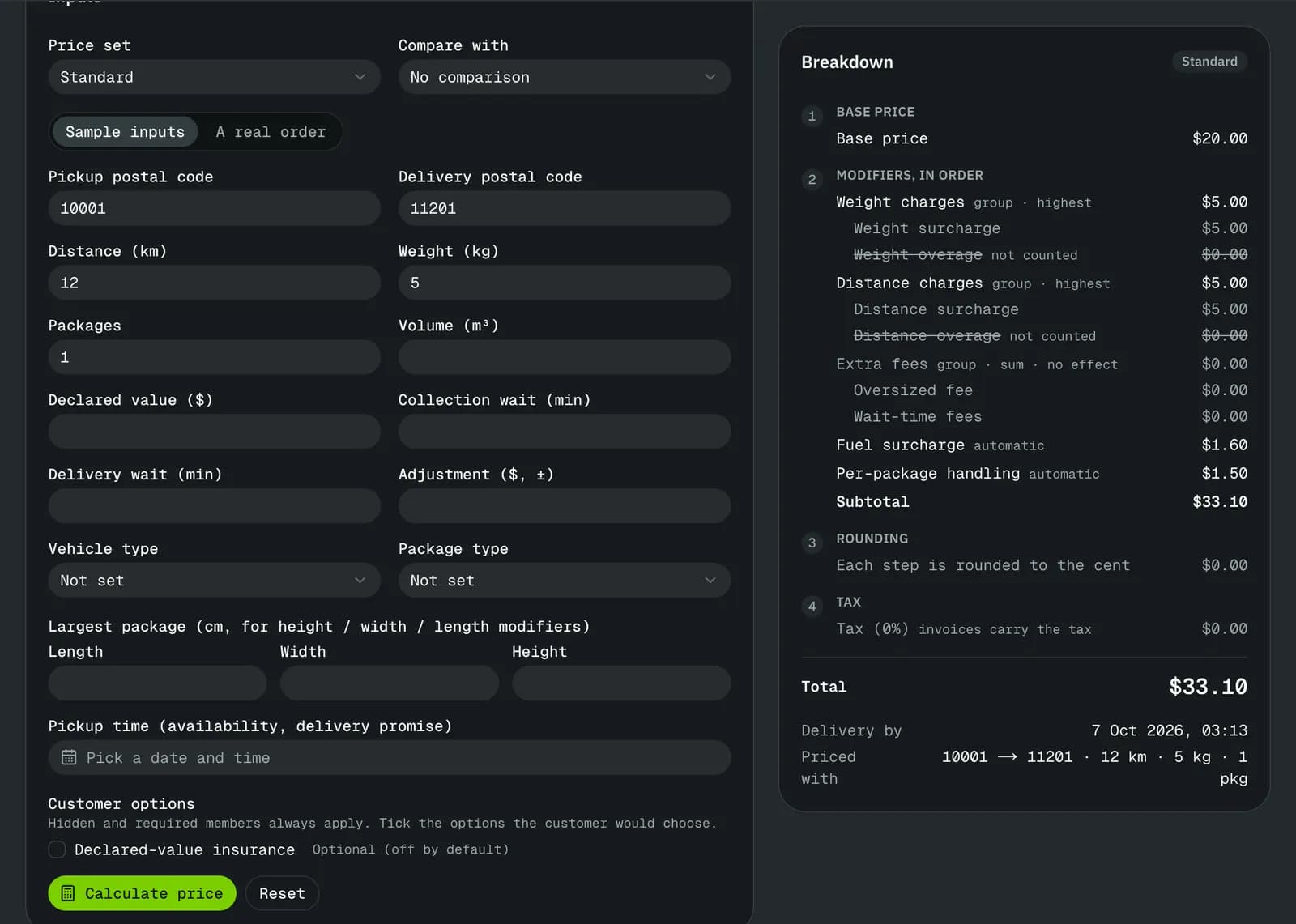
The NemiRoute pricing engine works exactly this way: zones made of postal prefixes from three characters to a full postal code (the longest match wins), zone tables per service, and modifiers for weight, distance, fuel (fixed or from a fuel index), rush, after hours, weekends, holidays, waiting time and more, with groups that charge the sum, highest or lowest. Each service you sell is a price set. Orders are priced as they are entered in the office, the customer portal, a spreadsheet import or the API, and every order keeps its line-by-line breakdown. Price testing lets you quote sample inputs or a real order against a new price set, side by side, without saving anything.
One limit to know: distance is a straight-line estimate from pickup to delivery until a road-routing provider is connected, so per-kilometre charges are best set with that in mind.
Next step
Put your current rate card into a price set and test it against last week's orders: start free, or book a demo and we will build one lane table with you. If you want to set the numbers themselves, read How to price B2B same-day delivery.
- pricing
- zones
- rate card
- fuel surcharge