Dispatch without spreadsheets: what a dispatch board should actually do
The spreadsheet got you this far. Here is what a dispatch board needs to do instead, so the day runs from one list and problems find you before customers do.
6 min read
Most courier companies start dispatching in a spreadsheet, a group chat and a whiteboard. It works while one person holds the whole day in their head. It stops working the first time that person is sick, or the day you pass forty orders and three drivers, or the morning a customer asks "where is my parcel?" and nobody can answer without phoning the driver.
The takeaway of this post: a dispatch board is not a prettier spreadsheet. Its job is to show you only what needs a decision, and to keep the record while you make it. Here is what that means in practice.
Why the spreadsheet breaks
A spreadsheet is a list of rows. Dispatch is a set of decisions that change every few minutes: who takes this rush job, which driver is running late, which pickup failed and what happens next. A sheet cannot tell you which rows changed, it cannot tell you a driver is twenty minutes behind, and it cannot stop two dispatchers assigning the same order.
The usual symptoms:
- Orders arrive by phone, email, a portal and a text message, and each one is re-typed by hand.
- Prices are worked out at the end of the week, and some are argued over.
- A failed delivery is discovered when the customer calls.
- The "status" column says delivered because a driver said so on the phone, with no photo or signature behind it.
- At month end, someone spends two days matching the sheet to invoices.
None of these are discipline problems. They are tool problems.
1. One list for every order, whatever channel it came from
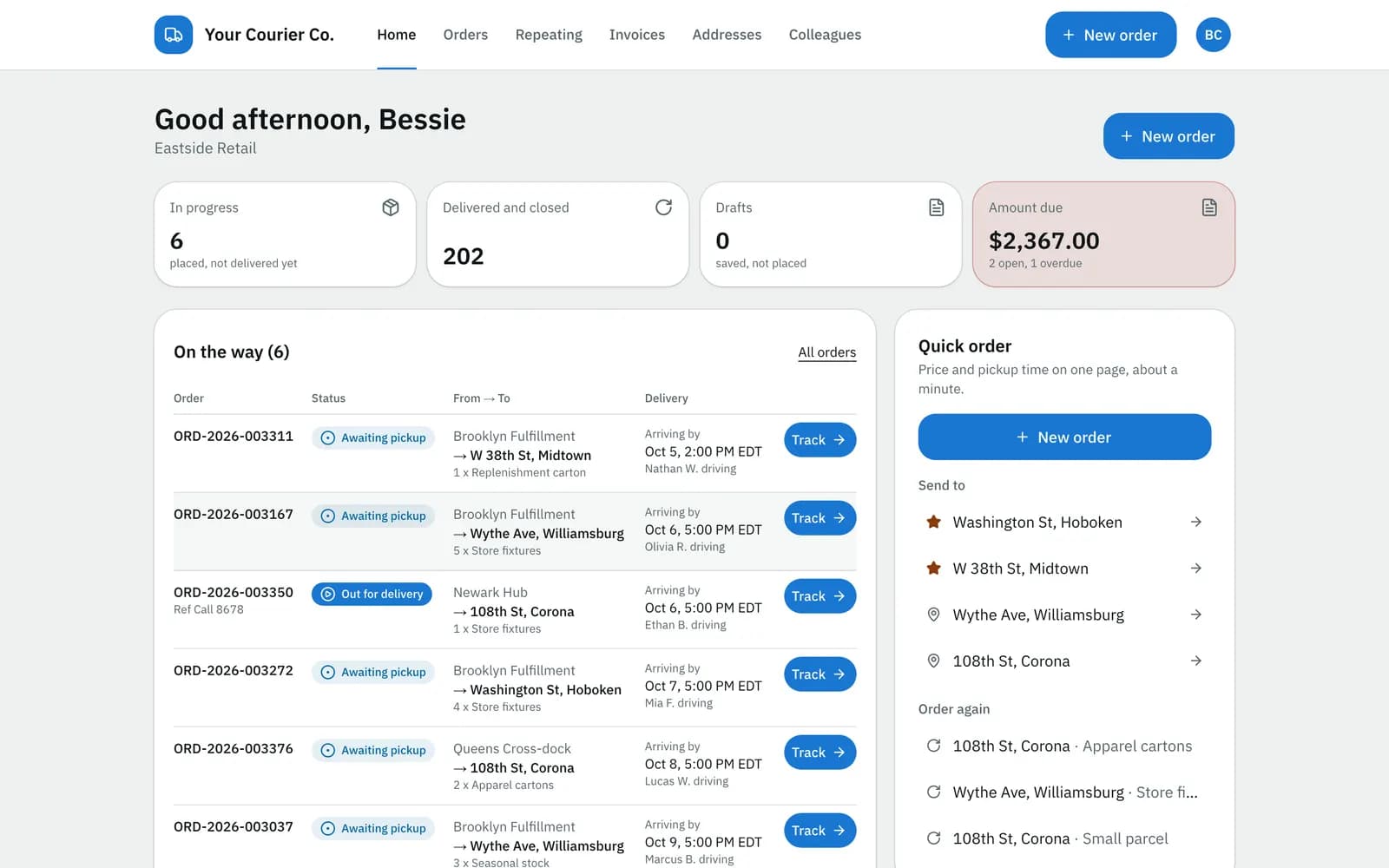
The first job of a dispatch board is to be the single place orders live. An order typed by a dispatcher, placed by a customer in a portal, uploaded from a spreadsheet or sent from a customer's own system through an API should land in the same list, with the same statuses.
That sounds obvious, but it is the step most teams skip. If portal orders live in one tool and phone orders in another, you are back to two lists and a mental merge.
What to look for:
- Statuses that mean the same thing everywhere. Pending, assigned, picked up, out for delivery, delivered, failed, on hold.
- Quick filters with counts. Unassigned, late, failed, on hold, not yet invoiced. The count is the to-do list.
- The price on the order when it is entered, not later. If you price from a rate card, the board should apply it as the order comes in. (We wrote about that in Zone pricing explained.)
2. Assigning work should take one action
Assigning a driver and vehicle should be possible from the order and from the list, and the driver should hear about it on their phone straight away. Reassigning matters just as much: mid-day, when a van breaks down or a driver falls behind, you need to hand the rest of a route to someone else without rebuilding it.
For scheduled work, a route planner groups the next day's orders per vehicle and shows the estimated distance, duration and load against the vehicle's capacity before you send it. Be honest with yourself about what you need here. Many couriers do not need a mathematical route optimiser; they need stops in a sensible order, the ability to drag one, and a warning when a van is overloaded.
3. A live map that answers "who is late?"
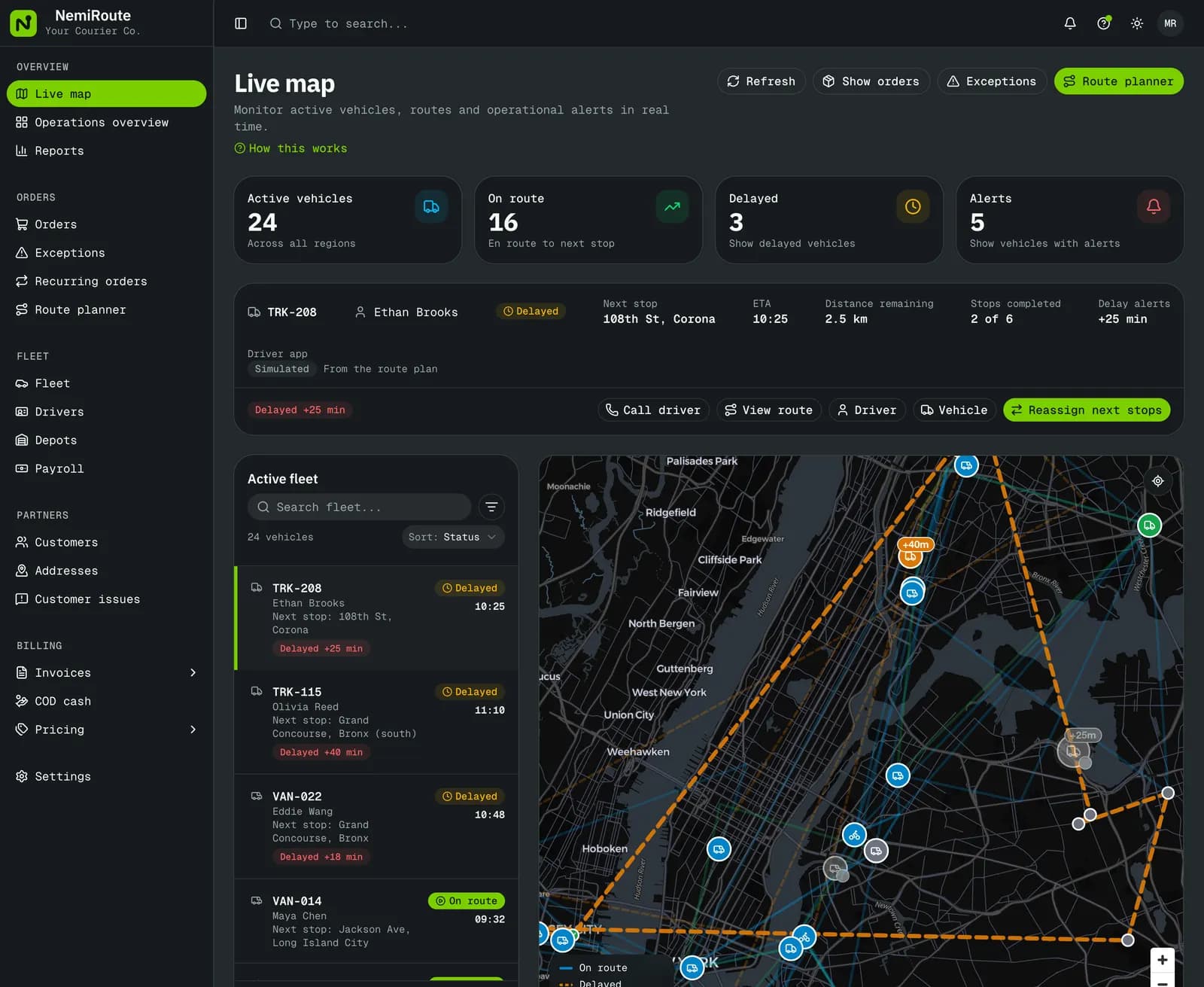
A map full of dots is not useful by itself. The useful version shows each active vehicle's next stop, its estimated arrival and how late it is running, so a delay is visible before the customer notices it.
That changes the dispatcher's role from answering calls to making calls: "Your driver is about fifteen minutes behind, would you like us to move the 2 pm?" is a very different conversation from "Let me find out and call you back."
4. Problems should come to you
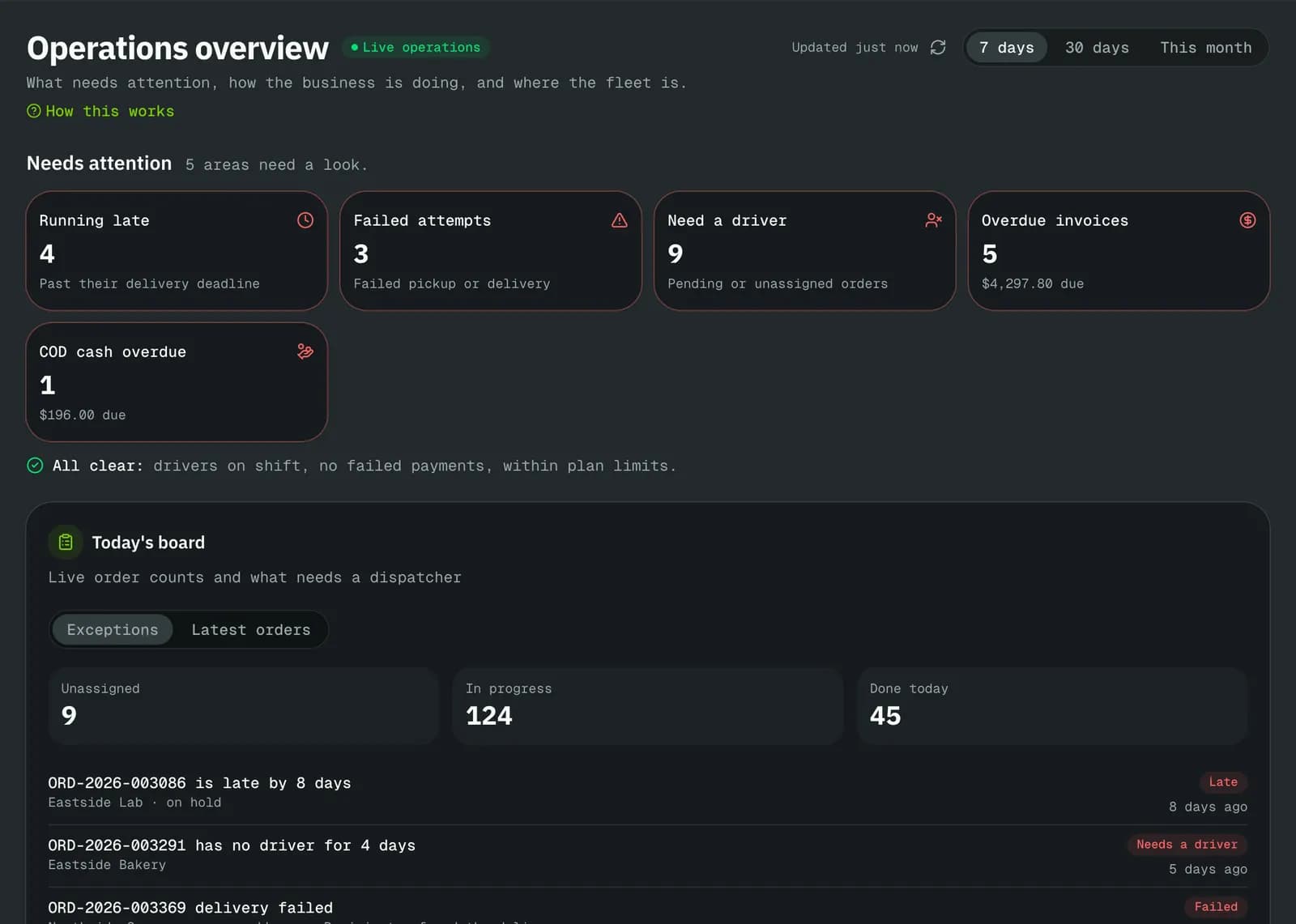
The most valuable screen on a good dispatch board is often the exceptions queue: every failed pickup or delivery, every late or stuck order, in one place, with the driver's reason and the next step.
Each failure reason should carry a default next step. "Customer absent" probably means retry; "wrong address" probably means hold and call the customer; "refused" probably means return to sender. When the reason decides the next step, the dispatcher confirms instead of thinking from scratch every time.
Alerts matter too, but only if they are targeted. An inbox notice, an email or a text to the person who owns the problem, inside the hours they choose, beats a group chat everyone has muted. For more on preventing failures in the first place, see Ten ways to cut failed deliveries.
5. The first screen in the morning
A morning overview should start with what needs a decision: late, failed and unassigned orders, overdue invoices, and cash on delivery still sitting with drivers. Then the week's volume and revenue. Every number should open the list behind it, so the overview is a starting point, not a report you read and close.
6. Proof and history on every order
When a delivery is questioned, the answer should be one click away: who delivered it, when, where the phone was, the signature, the photo, the recipient's name. The same goes for every change to the order, such as a price adjusted by hand or an address corrected, with who did it and why. We cover the proof side in depth in Proof of delivery that settles disputes.
A simple test for any dispatch tool
Before you choose software, run a normal Tuesday through it on paper:
- Twenty orders arrive across three channels. Do they all land in one list, priced?
- A rush order arrives at 10:40. How many clicks to assign it?
- A driver is stuck in traffic. Where do you see it, and how do you move their last four stops?
- A delivery fails. Who is told, and what is the next step?
- A customer disputes a delivery a week later. How long to find the proof?
- It is the end of the month. How many of these orders are already on invoices?
If any answer is "someone checks the sheet", that is where your day will still leak time.
Where NemiRoute fits
NemiRoute's dispatch board is built around those six answers: one order list for staff, portal, spreadsheet and API orders, priced as they are entered; assignment from the order or the list; a live map with every vehicle's next stop, ETA and delay; an exceptions queue with your own failure reasons and next steps; and an operations overview that starts with what needs a decision.
It is also honest about its limits. The route planner's Optimize puts stops in a nearest-first order that keeps each stop's delivery window, and you drag the rest; it is a quick heuristic, not a full route optimiser that balances a whole fleet. Distances are straight-line estimates until a road-distance provider is connected. If those are deal-breakers for your operation, it is better to know now.
Next step
If your day still runs on a spreadsheet, start free and put tomorrow's orders through the board, or book a walkthrough on the demo company first. Same-day operators may also want to read how the board fits a same-day courier's day.
- dispatch
- operations
- live map
- exceptions